Speech Tools
The Speech Tools panel defines how your Unity applications "hear" audio from physical microphones and how they "speak" and animate their 3D avatars.
Just like the Orchestrator, the Speech Tools page strictly utilizes a Pipeline Architecture. You must select your target deployment (e.g., Kiosk, Call Center, Web Speech) from the pipeline selector at the top right before configuring settings. A Kiosk and a SIP Call Center line can—and often should—have entirely different STT thresholds and acoustic models.
👂 Speech-to-Text (STT)
The STT tab defines the "Ears" of the system, transcribing raw PCM audio buffers captured by hardware (like a headset or array microphone) into text strings for the LLM.
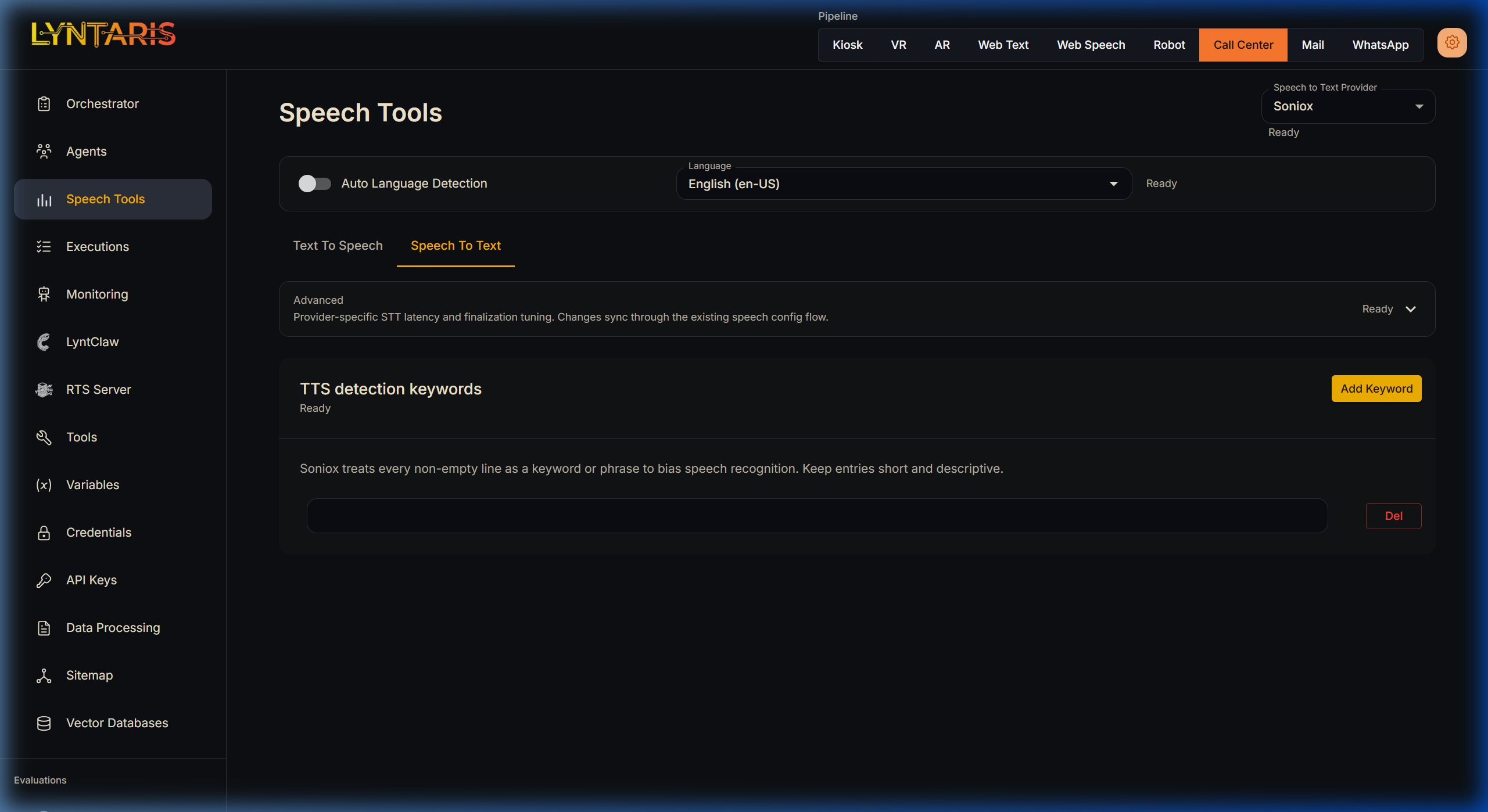
- Soniox (Recommended for Physical Hardware): Lyntaris utilizes Soniox via WebSockets because of its extremely low latency and high noise-canceling capabilities. It excels in busy trade shows where standard REST APIs fail.
- Auto Language Detection: If users frequently switch languages mid-sentence, enabling this forces the engine to recalculate its acoustic model on the fly. However, locking the language dial strictly to English (for example) significantly improves accuracy if you know your demographic.
- TTS Detection Keywords: Acoustic models often struggle with proprietary brand names or acronyms. By entering descriptive terms into this list, you apply a strong probabilistic bias to the Soniox engine, forcing it to correctly recognize your custom vocabulary in noisy environments.
(Note: For asynchronous batch transcription of large files, navigate to the Data Processing → Transcripts section instead).
🗣️ Text-to-Speech (TTS) & Lip-Sync
The TTS tab defines the "Voice" of the system, streaming synthesized audio down to the physical speakers.
Procedural vs. Emotive Voices
Crucially, your choice of provider dictates how the Unity Avatar animates its mouth:
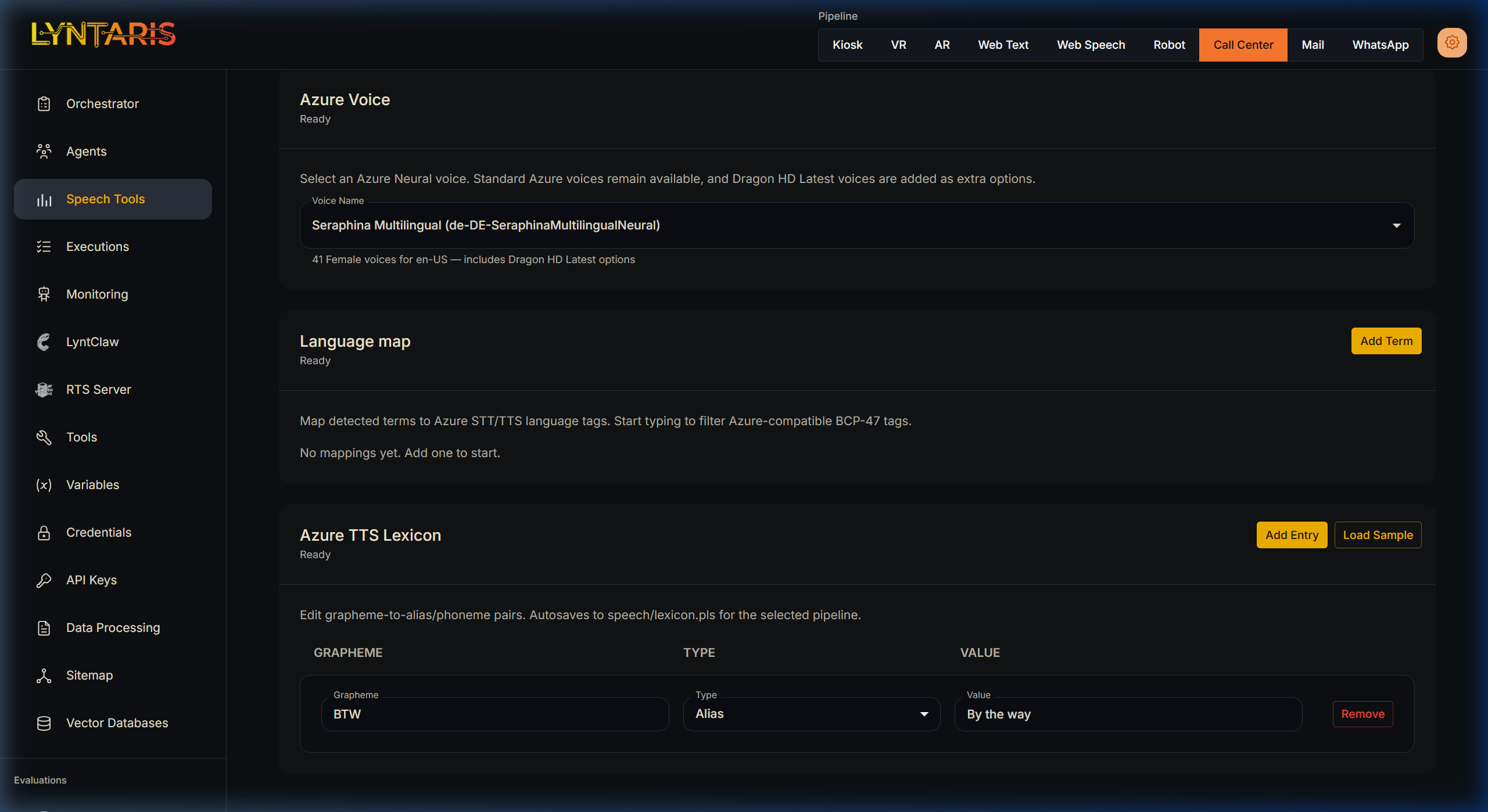
- Azure TTS (Procedural Animation): When Azure is selected, Flowise requests standard audio bytes alongside an explicit "Viseme" array (phonetic timestamps). The Unity Avatar reads these timestamps and mechanically drives the blendshapes of the 3D mesh, resulting in flawless, 100% accurate procedural lip-sync.
- ElevenLabs / MiniMax (Emotive Voice): These providers offer incredibly rich voice cloning and emotional variance, but lack native Viseme support. When selected, the Unity Avatar detects the missing timestamps and falls back to SALSA (Simple Audio Lip Sync Approximation)—a system that "listens" to the raw audio waveform amplitude in real-time to guess how wide to open the jaw.
The Azure TTS Lexicon
Because Lyntaris serves enterprise use-cases, perfect pronunciation of brand names is mandatory.
Under the TTS tab for Azure configurations, you will find the Azure TTS Lexicon. This Grapheme-to-Phoneme interface allows administrators to explicitly correct the AI's pronunciation. For example, if you map the Grapheme BTW to the Alias Value By the way, Flowise will actively intercept the LLM's raw text and correct it before requesting the final audio synthesis.
🧬 Voice Cloning & Rehearsal
Custom Voice Cloning
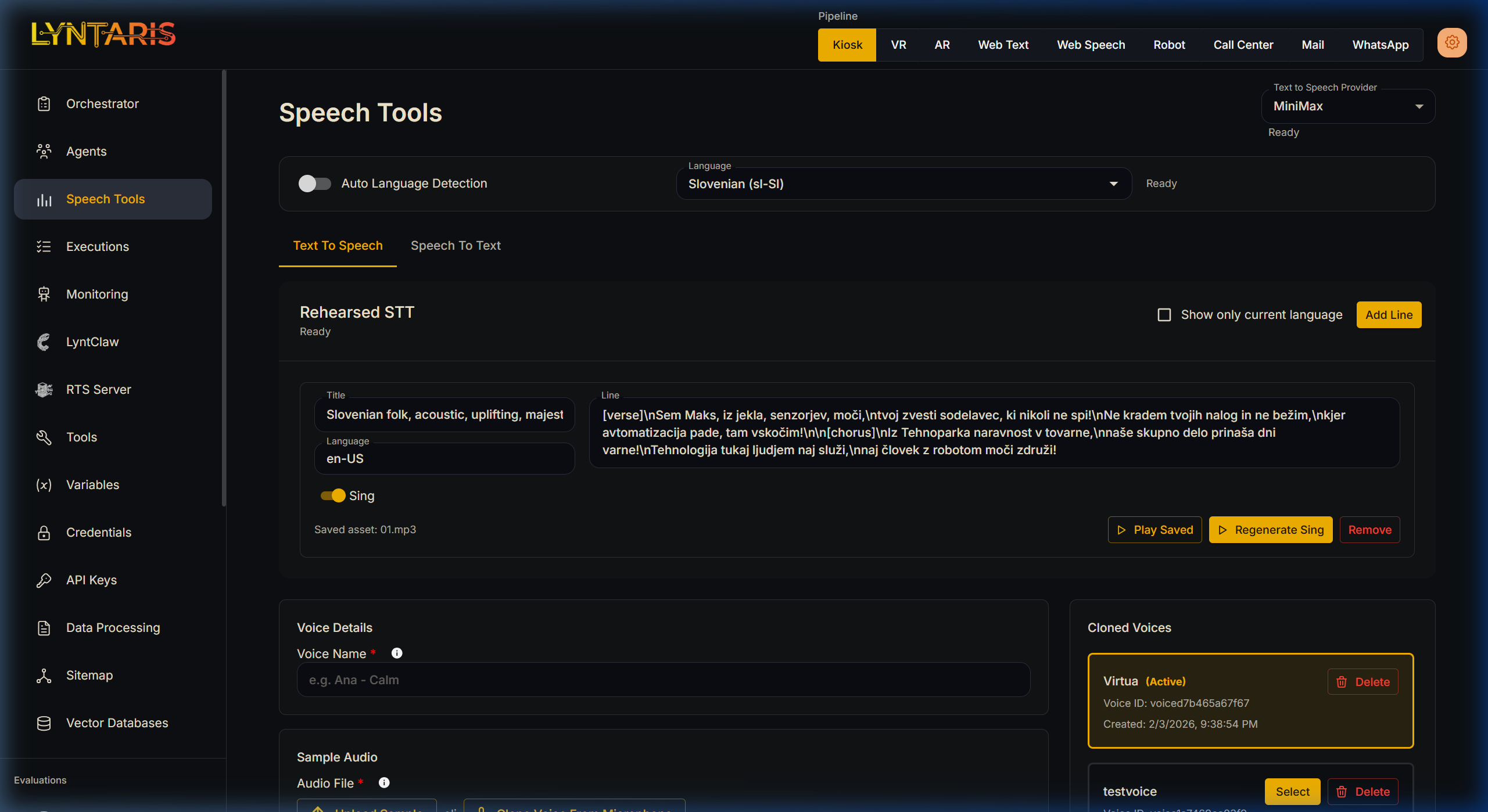
If you are using a provider that supports it (like ElevenLabs or MiniMax), you can clone precise acoustic profiles directly from this dashboard.
- Simply upload an MP3/WAV file under the Voice Details section or record a sample directly from your browser microphone.
- Once uploaded, the voice profile is assigned a unique UUID and becomes immediately available for selection across your pipelines.
Rehearsed STT (Audio Pre-generation)
Sometimes you do not want to rely on real-time synthesis for perfectly rehearsed introductory lines, complex scripted interactions, or special Easter Eggs. The Rehearsed STT module allows you to write specific lines of text and generate the audio securely offline.
These assets are saved in order (01.mp3, 02.mp3) with a manifest.json and are pushed to your Lyntaris hardware clients during the normal content sync cycle.
This tool features two distinct generation modes:
- Standard TTS (Sing = Off): Synthesizes standard spoken audio using your currently selected Voice Provider (e.g., Azure or MiniMax). It allows you to tightly control pacing and pronunciation of critical scripts before deployment.
- Sing Mode (Sing = On): This bypasses the usual streaming TTS path. The server renders a full rehearsed vocal track (with simple structure tags such as
[verse]/[chorus]where supported) and the client downloads it for playback—used when live music streaming is not available on the device audio stack. Integration engineers have the exact route names and payloads in deployment documentation.
Over-The-Air (OTA) Syncing
[!tip] Changes made in the Speech Tools dashboard do not require you to reboot your physical Kiosks. The Unity application runs a background
FlowiseConfigSyncRunner. When you modify a Provider, Lexicon, or Language here, your remote hardware instantly drops its current STT/TTS connection and instantiates the newly selected configuration mid-conversation.