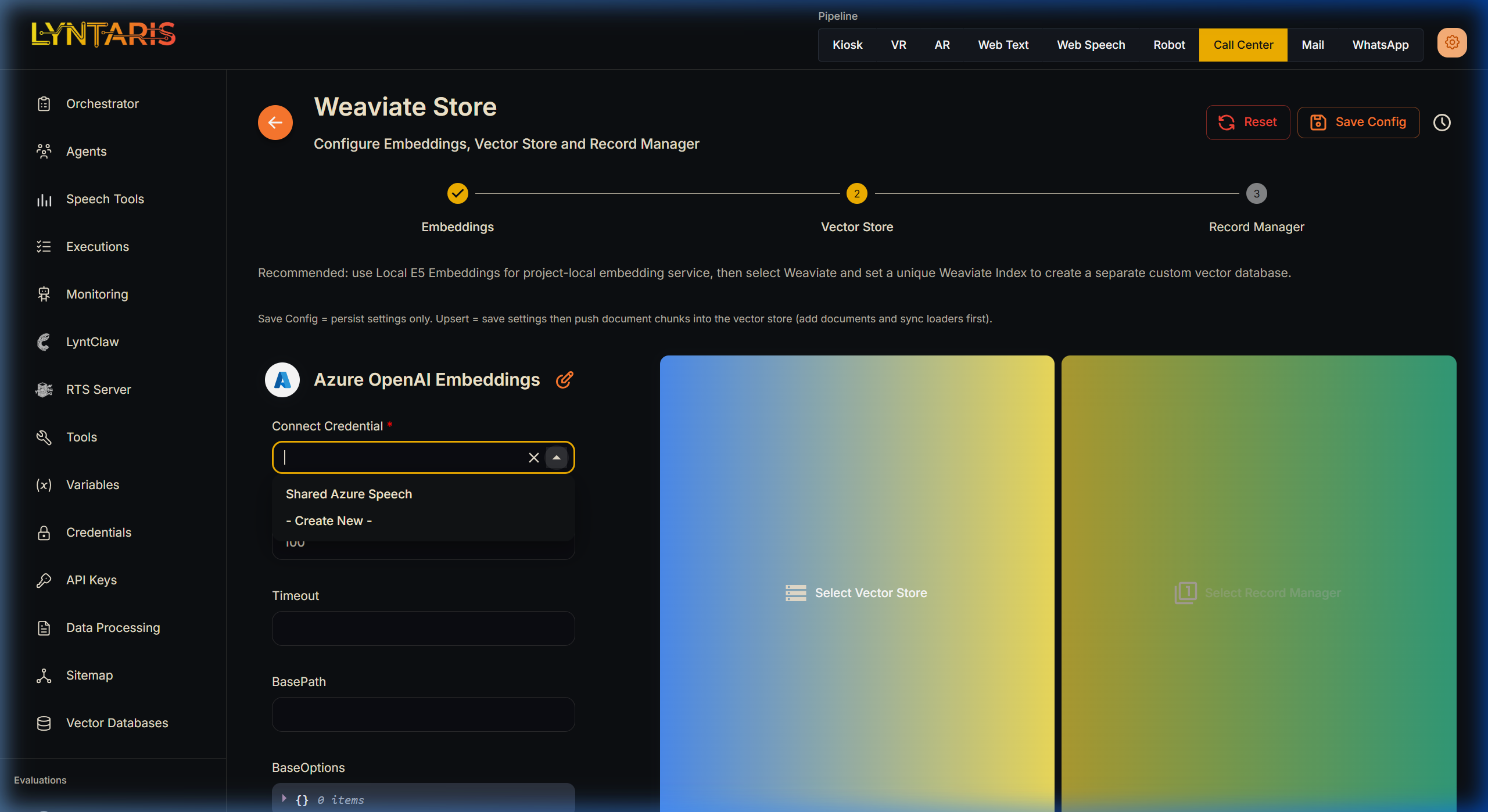
Azure OpenAI Embeddings
Azure OpenAI Embeddings can be utilized natively within the Lyntaris V2 platform via the Document Stores (/vector-databases) configuration tab.
Because Lyntaris employs a securely isolated Shared Credentials architecture, there is no need to manually copy and paste API keys into individual configurations.
🏗️ Configuration Protocol
To assign Azure OpenAI Embeddings to a vector database:
- Navigate to Vector Databases in the left-hand menu.
- Select your desired Document Store (e.g., Weaviate, Qdrant) and enter the Configure Embeddings step.
- If not already selected, click Other Embedding Providers and choose Azure OpenAI Embeddings.
- In the configuration popup, input your specific deployment details:
- Instance Name: Enter your unique Azure regional deployment instance name (e.g.,
lyntaris-eastus). - Deployment Name: Enter the embedding model designation you provisioned (e.g.,
text-embedding-ada-002ortext-embedding-3-small). - API Version: Select the stable Microsoft Azure release iteration (e.g.,
2024-02-15-preview).
- Instance Name: Enter your unique Azure regional deployment instance name (e.g.,
🔑 Shared Credentials (Crucial Step)
The most critical step in V2 architecture is binding the proper environment-level credential.
In the Connect Credential dropdown, locate and select the Shared Azure Speech or Shared Azure OpenAI credential that was provisioned by your deployment sync (see Credentials).
[!WARNING] DO NOT click "Create New" or manually enter raw API keys unless specifically instructed for pipeline-scoped overriding. Always use the pre-loaded Shared Credentials.