Agentflow V2
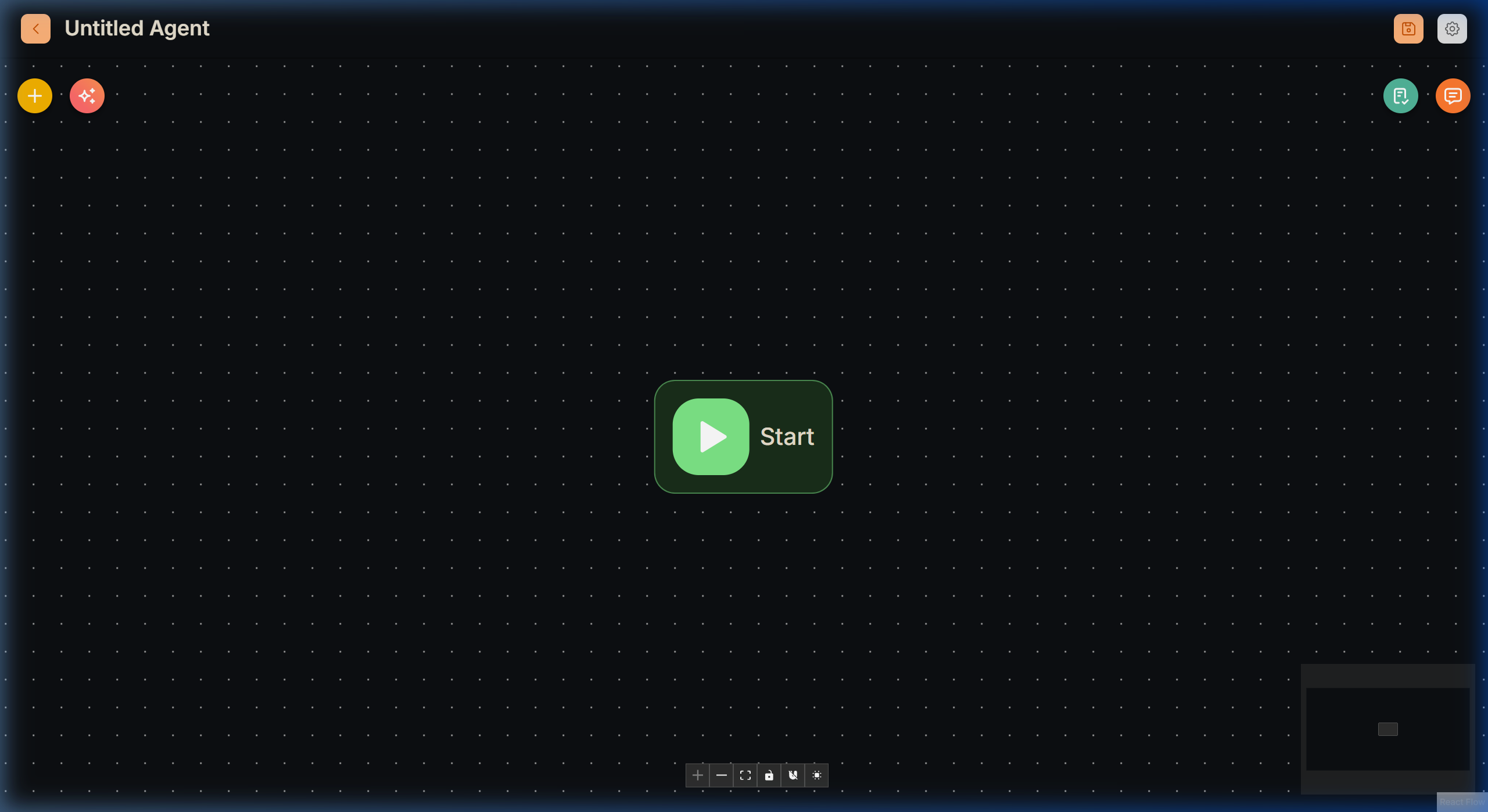
The V2 Agent Canvas is the visual orchestration engine of the Lyntaris platform. Instead of writing code, you connect visual "blocks" (nodes) to define exactly how your AI thinks, decides, acts, and responds to users.
- List page:
/agents - Builder:
/v2/agentcanvas
For voice and realtime flows (Call Center, SIP, kiosk voice, VR) that integrate with the Realtime Queue and compact export APIs, use the dedicated Realtime Agent Canvas at /realtime-v1/agentcanvas instead of this builder.
Core Concept
Agentflow V2 shifts the focus towards designing the entire AI workflow using a granular set of specialized, standalone nodes. In this architecture, each node functions as an independent unit, executing a discrete operation based on its configuration.
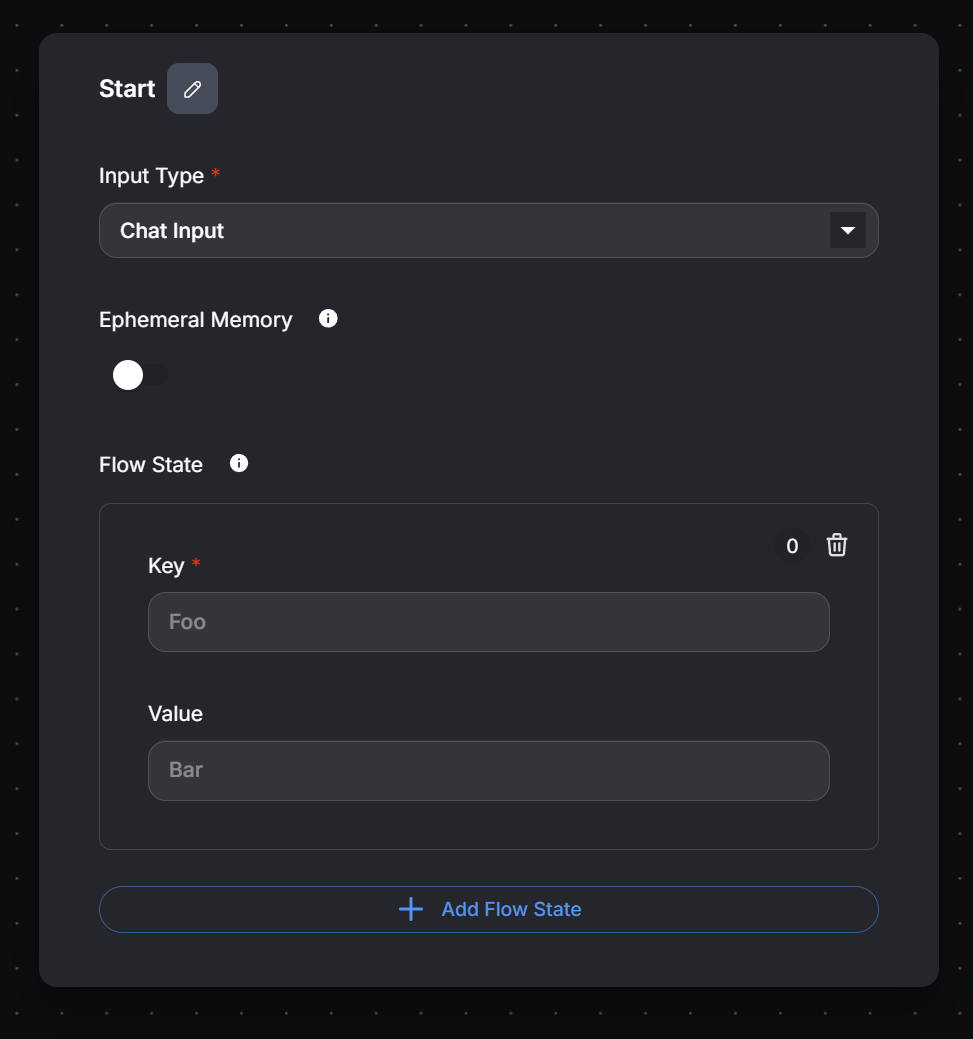
The visual connections between nodes explicitly define the workflow's path. Data can be passed between nodes by referencing the outputs of previously executed nodes, and the Flow State provides an explicit mechanism for managing and sharing data dynamically throughout the entire execution.
Flow State & Memory
Data persists across your connected nodes using the internal Flow State. This ensures that if Agent A summarizes a document, Agent B further down the pipeline can automatically read that summary without needing to fetch the document again.
Common Multi-Agent Patterns
Because each component operates modularly, Agentflow V2 supports advanced enterprise orchestration patterns effortlessly:
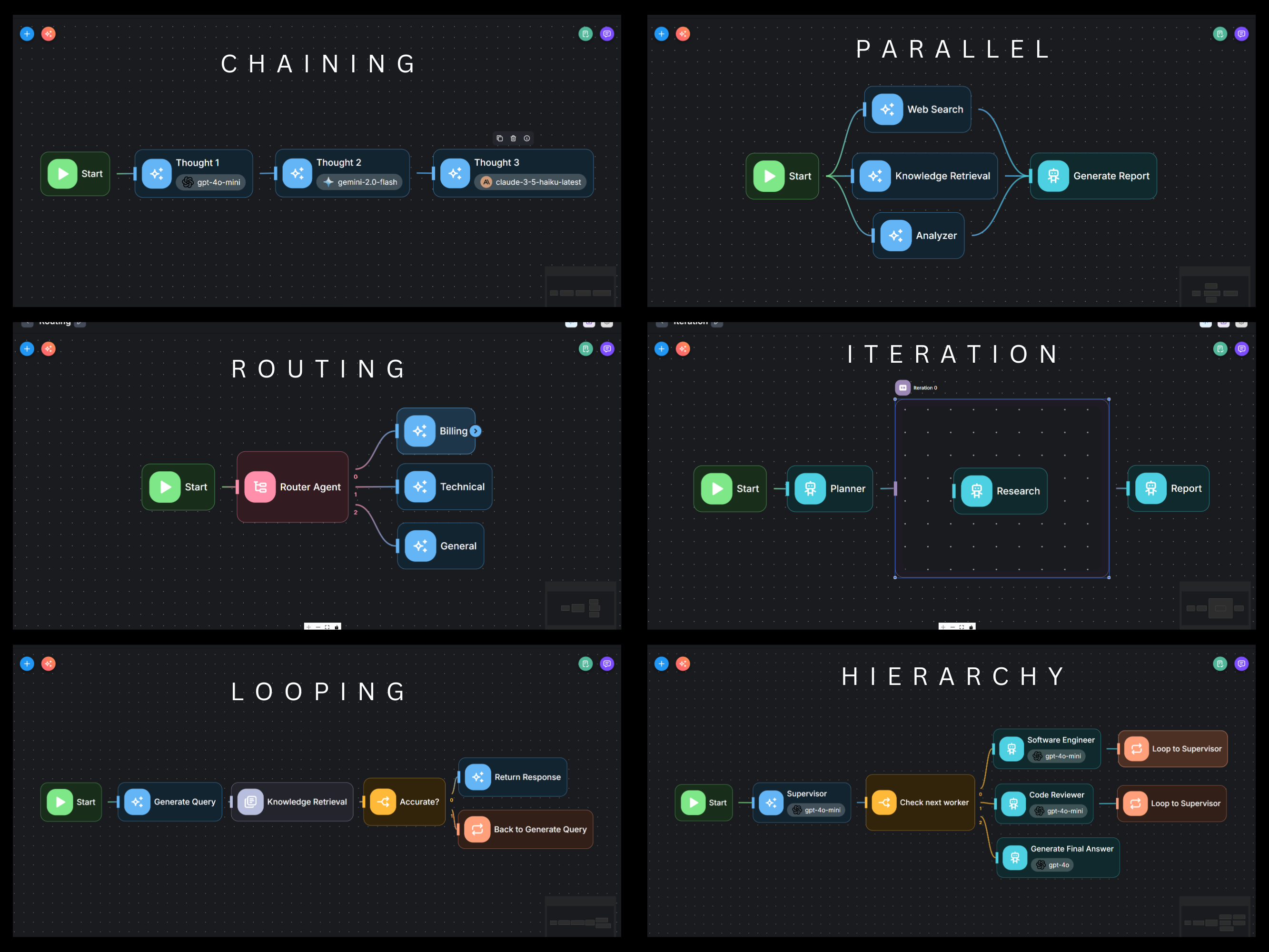
- Chaining: Connect agents sequentially so the output of Node 1 feeds directly into Node 2.
- Parallel: Launch multiple agents simultaneously (e.g., execute Web Search, Document Retrieval, and Code Analysis at the exact same time) and synthesize their results.
- Routing: Use a Condition node or Router Agent to intelligently direct a user's request (e.g., routing billing questions to the Finance pipeline, and bugs to the Technical pipeline).
- Iteration: Automatically run a process over a list of items (e.g., research 5 different competitors with the same agent).
- Looping: Allow an agent to retry a task if a verification step fails (e.g., looping back to the database if the first query was malformed).
- Hierarchy: Designate a "Supervisor" Agent that delegates tasks to specialized sub-agents and compiles a final executive report.
Difference between Agentflow and Automation Platform
One of the most frequently asked questions: What is the difference between Agentflow and sequence-based automation platforms like n8n, Make, or Zapier?
💬 Agent-to-agent Communication
Multimodal communication between agents is natively supported. A Supervisor agent can formulate and delegate tasks to multiple Worker agents, with outputs from the Worker agents subsequently returned to the Supervisor. At each step, agents have access to the complete conversation history, enabling the Supervisor to determine the next task and the Worker agents to interpret the task, select appropriate tools, and execute actions accordingly.
🙋♂ Human-in-the-loop
Execution is safely paused while awaiting human input, without blocking the underlying thread resources. Each checkpoint is saved, allowing the workflow to resume from the exact same state machine point even after a daemon restart. Agents can also be configured to explicitly request human permission before executing sensitive tools (like MCP actions or database deletions).
📖 Shared State
Shared state enables complex multidimensional data exchange between nodes and agents, especially useful for passing JSON documents across distinct branches or non-adjacent steps in a flow.
⚡ Streaming
Lyntaris natively supports Server-Sent Events (SSE) for real-time streaming of LLM or agent responses from the backend all the way to the frontend UI frameworks. Streaming also enables instant subscription to execution step states as the Agentflow node graph activates.
🌐 MCP Tools
While traditional automation platforms often feature extensive but rigid libraries of pre-built integrations, Lyntaris Agentflow allows standard MCP (Model Context Protocol) tools to be natively injected into the workflow, rather than functioning solely as standalone LLM tools.
Agentflow V2 Node Reference
This section provides a detailed reference for each available node, outlining its specific purpose, key configuration parameters, and role within the Lyntaris orchestration engine.
.png)
Lyntaris natively supports 17 highly-specialized node modules. For full configuration parameters and execution dynamics, rigorously explore their dedicated pages below:
🧩 Core Executables
- Start Node: The designated entry point for initiating any AgentFlow V2 workflow execution.
- LLM Node: Direct text generation modeling lacking native agentic overhead or tool access.
- Agent Node: Autonomous AI entities capable of deeply reasoning, planning, and interacting with assigned toolchains or knowledge stores.
🛠 Tools & Integrations
- Tool Node: Directly and deterministically execute a specific, pre-defined Lyntaris platform tool organically.
- Retriever Node: Explicit targeted information retrieval natively out of configured Vector/Document Stores strictly via semantic similarity bindings.
- Document Loader Node: Dynamically parses and structurally formats flat file formats/streams directly natively within state logic.
- HTTP Node: Asynchronous communication targeting arbitrary exterior web microservices and RESTful HTTP boundaries natively.
- Custom Function Node: Enables rigorous execution formatting over generic JavaScript or TypeScript native code arrays directly parsed inside internal sub-engines.
🔀 Branching & Control Flow
- Condition Node: Implements unyielding deterministic branching logic evaluating rigid
IF/ELSEstate boundaries natively. - Condition Agent Node: Provides complex AI-driven dynamic branching mapped from conversational natural language input vectors efficiently.
- Iteration Node: Natively maps sub-routine functional loops (
for-each) directly querying underlying targeted execution boundaries structurally. - Loop Node: Explicitly redirects programmatic architectural sequence pathways backward into internal historical block instances securely.
- Execute Flow Node: Calls arbitrary exterior configured Agentflow diagrams, acting as complex microservice routine layers efficiently mapping variables.
- Wait Node: Delays pipeline thread routing explicitly for deterministically mapped duration limitations seamlessly.
- Load Realtime Agent Node: Aggregates completely distinct external Realtime Canvas configurations safely loading environments internally.
👤 User Interfaces
- Human Input Node: Explicitly suspends architecture sequence processing pending defined asynchronous operator instruction.
- Direct Reply Node: Generates static mapped interface pipeline executions completely sidestepping standard latency scaling limits actively.
Dynamic Variables & Shared State
You can inject dynamic information into your rules, prompts, or LLM system messages using double brackets {{ }}. This pulls live runtime data from the global Flow State.
Here is a quick cheat sheet of commonly used runtime variables in Lyntaris:
| Variable | Description | Common Use Case |
|---|---|---|
{{ question }} |
The exact most recent sentence the user typed. | Input for an LLM Prompt. |
{{ chat_history }} |
The entire past conversation as a long string. | Detecting if the user is asking a follow-up. |
{{ current_date_time }} |
Today's timestamp (ISO string). | Passing contextual time to an LLM. |
{{ file_attachment }} |
The raw data of the file uploaded. | Sent to an OCR or Agent node to analyze. |
Example: To check if a chat just started, place a Condition node. Set Value 1 to {{ chat_history }}, set Operation to Is Empty, and route the 'True' path to an introductory Direct Reply node!