Realtime Agent Canvas
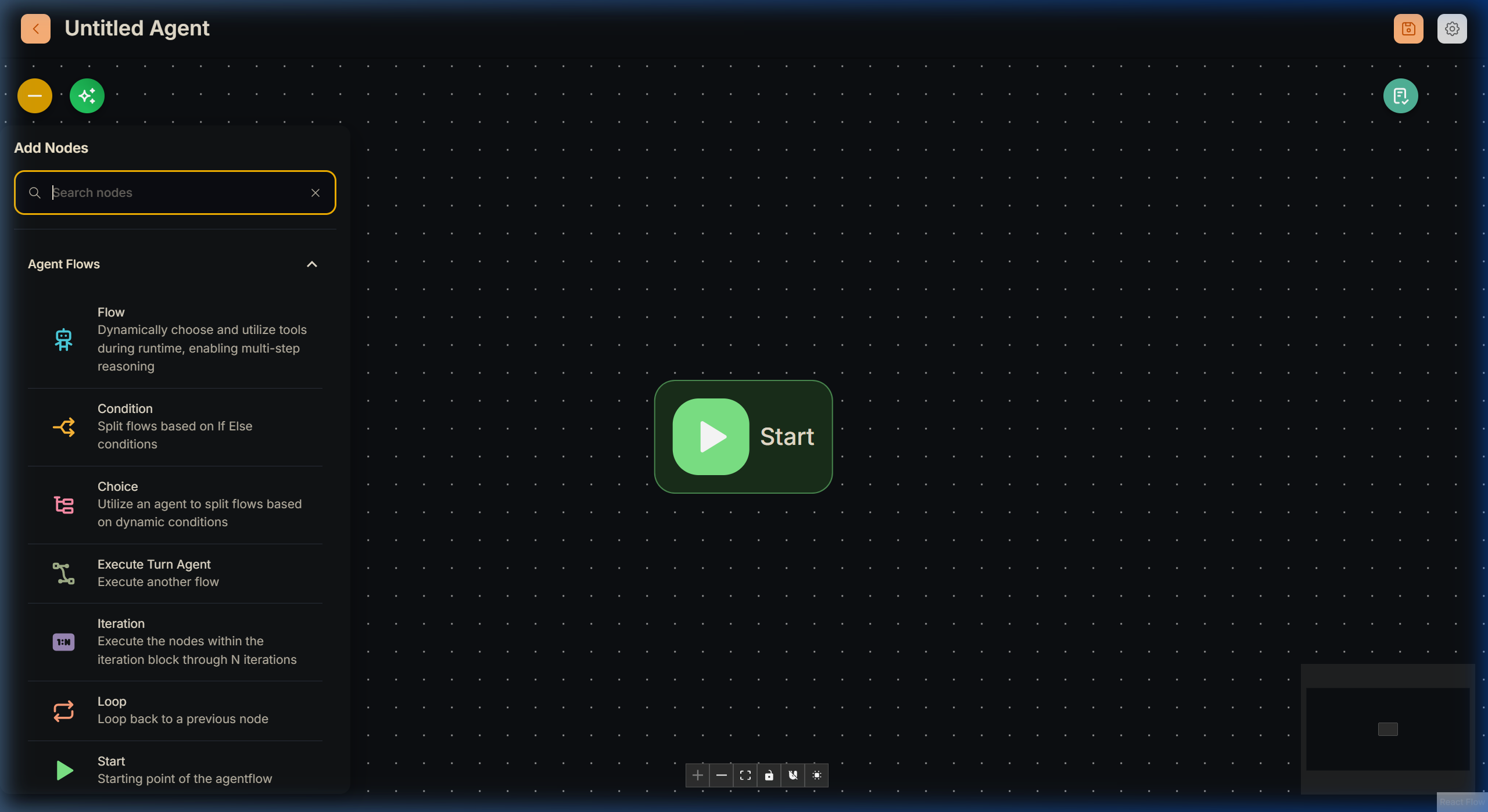
The Realtime Agent Canvas is the specialized orchestration layer where you design and deploy agent flows that power voice and realtime experiences. This canvas seamlessly handles Call Center (SIP) integrations, kiosk voice terminals, VR interactions, and other high-fidelity pipelines that strictly require streaming audio paired with realtime Unity tool executions.
While it shares the familiar visual node paradigm of Agentflow V2, the internal engine, validation borders, and external APIs exposed here are aggressively optimized for high-throughput, latency-sensitive live communication.
Platform Differences Overview
[!NOTE] If your integration strictly involves text-based chatting without continuous duplex audio sockets, the standard V2 Canvas Customer Integration API is usually perfectly adequate.
| Capabilities | Realtime Agent Canvas | V2 Agent Canvas |
|---|---|---|
| App URL | /realtime-v1/agentcanvas |
/v2/agentcanvas |
| Typical Use-Case | Phone calls, Live Voice, Unity Realtime WebSocket Clients | Text-based agents, structured JSON pipelines, internal tools |
| Primary External API | Realtime Queue (/api/v1/openai-realtime/.../queue/...) |
Prediction Output (/api/v1/prediction/{FLOW_ID}) |
| Modularity Integration | Can be invoked by V2 via Load Realtime Agent Node | Can be invoked by V2 via Execute Flow Node |
1. Start Node Architecture
Every realtime flow absolutely must begin with a Start node. Because Realtime pipelines require significantly more initialization context (such as Caller ID data) compared to an ad-hoc web chat, the Start node configuration is strictly partitioned into two operational buckets:
form (Static Initializers)
These are static values supplied directly by your CRM or billing backend exactly at the moment the realtime task is instantiated.
[!IMPORTANT] The platform mandates a stable caller identifier to gracefully manage thread limits. You must include a field named
ID(case-insensitive) within yourformdefinition to satisfy Queue enqueue rules.
- Usage: Placeholders in LLM prompts (e.g.,
{{CALLER_NAME}}) are dynamically interpolated instantly using the keys explicitly defined here.
Flow State (Dynamic Session Memory)
Optional structured session variables specifically designed for conversational details you want the workflow or downstream summary extractors to incrementally remember and mutate (such as repairDate, vehicleIssue, or customerConfirmed).
[!TIP] Keep Flow State keys stable and programmatic (e.g.,
callerPhonerather than"Caller Phone Number!").
- LLM Writable Flag: Explicitly permits the underlying Unity-side voice tools to manipulate that state key during the live streaming conversation.
- Include In Summary Flag: Emphasizes specific keys so downstream cleanup/handoff steps effortlessly prioritize extracting them from the context footprint.
2. Why Use the Realtime Canvas over V2? (Technical Constraints)
While the Realtime Canvas utilizes the exact same nodes as Agentflow V2, it exists entirely isolated on the /realtime-v1 URL because it operates under drastically different HTTP and hardware constraints designed exclusively for continuous audio streaming.
If you are deploying a SIP Call Center agent or a Headless Kiosk, you must use this canvas.
⏱️ The 60-Second Timeout & Heartbeat Loop
- The V2 Problem: Standard Agentflow V2 waits for a synchronous HTTP response (e.g., asking a question and waiting for the final text reply). If an operation takes longer than network limits, the connection drops.
- Long calls: Voice sessions can run for a long time. The Realtime Canvas uses a worker queue plus heartbeat traffic from the client so the backend does not treat an active call as idle. Defaults (for example periodic pings and timeout length) are tuned for telephony; exact timings are part of deployment engineering docs.
📞 8kHz G.711 Telephony Standards
Standard textual Chat flows or pristine 48kHz microphone data cannot traverse raw SIP telephone lines. The nodes on the Realtime Canvas are rigged to natively shuttle raw base64 frames of ultra-lossy 8kHz G.711 telephony audio packets back and forth via an open WebSocket, eliminating graphical rendering latency.
3. API Integrations for Platform Operators
To programmatically interact with your deployed Realtime Canvas architectures from your own systems (like your CRM or automated dialer), open the API Endpoint configuration layer [< >] available natively in the Flowise toolbar. Lyntaris automatically generates perfectly mapped Python, JavaScript, and cURL snippets explicitly bounding your Workspace parameters.
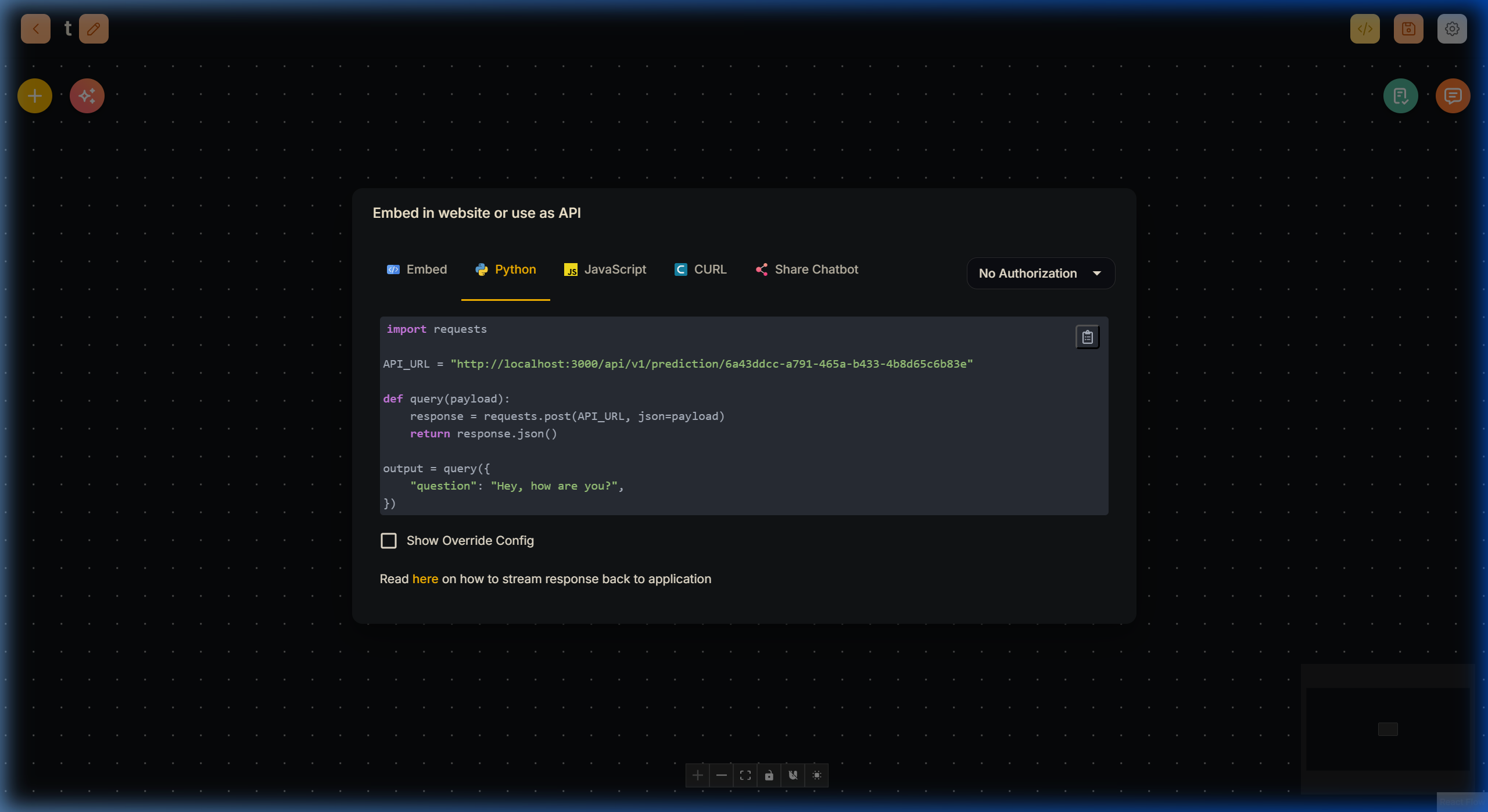
A. Realtime Queue API (Dispatching Calls)
External operational systems (CRMs, automated outbound dialers, helpdesk ticketing matrices) initialize a realtime conversation by enqueueing a task. The Lyntaris engine then picks up and processes items asynchronously to protect memory capacity and guarantee seamless audio latency.
- Enqueue Request:
POST /api/v1/openai-realtime/{FLOW_ID}/queue/enqueue
[!WARNING] Your authentication pattern MUST securely mirror the deployment specifications. Pass the
Authorization: Bearer <KEY>header perfectly identically to the patterns documented in the Customer Integration API.
Required Payload Structure:
{
  "form": {
    "ID": "customer-12345",
    "CALL_REASON": "Caller asked about incoming overdue invoice billing"
  },
  "state": {
    "callerPhone": "+38640111222",
    "repairDate": "2026-04-12"
  },
  "ccBaseUrl": "https://your-cc-client.example.com"
}
form: Mandatory. Keys must map 1:1 perfectly with your designated Start node structure. Includes theIDconstraint.state: Optional. Passes dynamic override properties seamlessly bounding onto the default Start nodeFlow Stateentries.ccBaseUrl: Optional. Overrides the baseline Call Center target if an isolated outbound patch connection is required by dynamic CRM logic.Status Polling: Use
GET /api/v1/openai-realtime/{FLOW_ID}/queue/statusto evaluate real-time step boundaries (e.g.,pending,accepted,failed,completed).
B. Compact Flow Export API (JSON Architectures)
When deeply embedded hardware devices or strictly typed downstream integrations (like Unity App clients) need an exact compact JSON blueprint of your graph's routing, branches, or iterations, query the Compact Export pipeline.
- Export Request:
POST /api/v1/openai-realtime/compact
Requested Payload:
{
  "id": "YOUR_REALTIME_FLOW_UUID",
  "includeExecuteSchemas": true
}
Successful deterministic responses return an immensely lightweight state machine tree under exactly the flow property bounds (providing nodes start, form, flows, choices). The embedded stateSchema exactly replicates the explicit Start node definitions ensuring types, defaults, and writable flags propagate effectively securely over internal hardware pipelines.
4. Auditing Realtime Sessions
Massive real-time voice and streaming configurations naturally require immense oversight natively. Your system strictly captures execution telemetry reliably for Voice/Realtime sessions underneath the primary Executions tab, provided you have configured Realtime Executions flags appropriately.
- Visual Interface: See Realtime Executions for navigating the live telemetry interface.
5. Node Dynamics & Unity Integration
While the Realtime Agent Canvas utilizes identical UI architectures to V2, its functional palette is strictly restricted because nodes communicate actively with the Lyntaris Unity 3D Engine over the high-speed Realtime-v1 streaming protocol.
[!NOTE] All external Tools, Web Search bindings, and Database retrievers are decoupled from the canvas. They are managed natively by the Unity runtime.
You can find the structural breakdown of the 8 allowed nodes here: