LyntClaw Workspace
LyntClaw is the internal chat workspace in Lyntaris Flowise (menu: LyntClaw, URL path /lyntclaw). It is meant exclusively for company staff (operators, admins, developers) to manage platform operations, utilize internal tools, and leverage the OpenClaw-backed Managed Browser.
[!CAUTION] LyntClaw is not the end-customer persona (kiosk, voice calls, or public assistant). That persona lives in workspace Soul content and customer-facing channels.
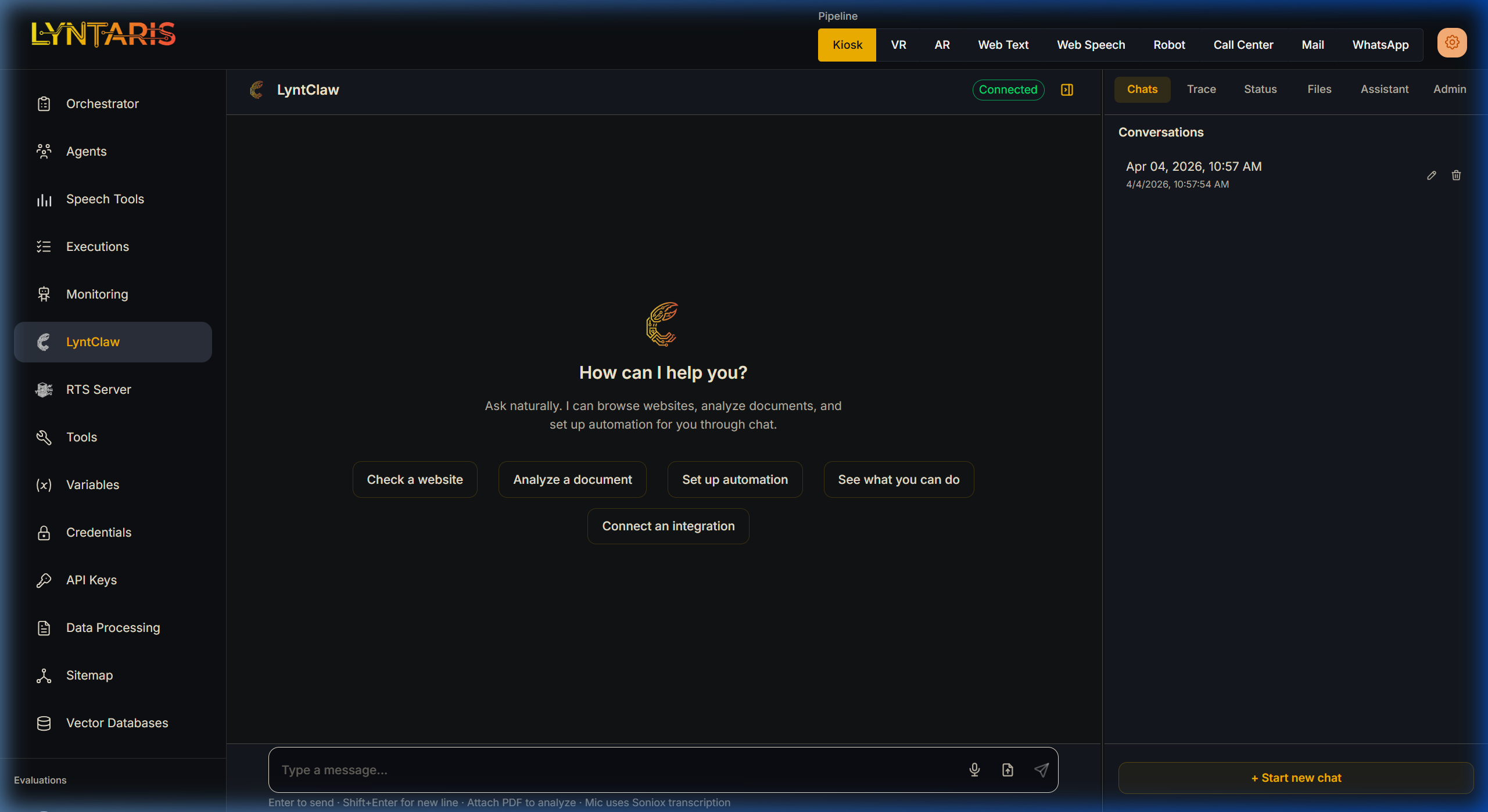
The LyntClaw Chat Interface: Asking natural language queries to trigger internal automations.
🤖 Assistant Soul: SOUL.md & IDENTITY.md
In Flowise → LyntClaw, when your deployment exposes the soul editor, you maintain two markdown files in the OpenClaw workspace (the same filesystem the gateway uses for tools and uploads).
| File | Purpose |
|---|---|
IDENTITY.md |
Who the assistant is: name, primary language, organization, and a short About block. Keep facts here; avoid duplicating long rule lists. |
SOUL.md |
How it behaves: operating rules, style constraints, compliance guardrails, and handling missing information. |
[!NOTE] Staff vs Customer Context: In the LyntClaw UI the user is normally company staff. The assistant should act as the internal platform helper unless staff explicitly ask it to format an answer "as the public persona".
🌐 Managed Browser vs Knowledge-Base Crawling
Staff often use chat to open websites in the managed browser. That is separate from the Sitemap / Always Fresh pipeline that feeds your RAG knowledge base. They do not automatically share the same cookie jar.
[!TIP] Practical Rule: If LyntClaw can open a logged-in page but Discover still shows a login wall, the fix is not "use LyntClaw more". You must configure the Unity → FastAPI cookie push.
| Surface | Where it runs | Typical use |
|---|---|---|
| LyntClaw Managed Browser | OpenClaw gateway + browser service in tenant stack. | Log in, read pages, automate tasks from chat. |
| Sitemap Crawl & Discover | FastAPI (headless browser + HTTP). | Build and refresh the URL list behind Sitemap & Web Pipeline. |
| Unity Operator WebView | Kiosk / control-room build. | Operator logs into the company website; triggers push shared cookies. |
🖥️ Navigating the Interface
The Flowise right panel features a vertical sidebar with critical functionality tabs.
1. The Trace & Status Tabs
[!NOTE] Use Status only to see what is available right now (gateway connected, browser state, hooks). Use Trace when you need to see what exact API payload or Tool ran behind the scenes.
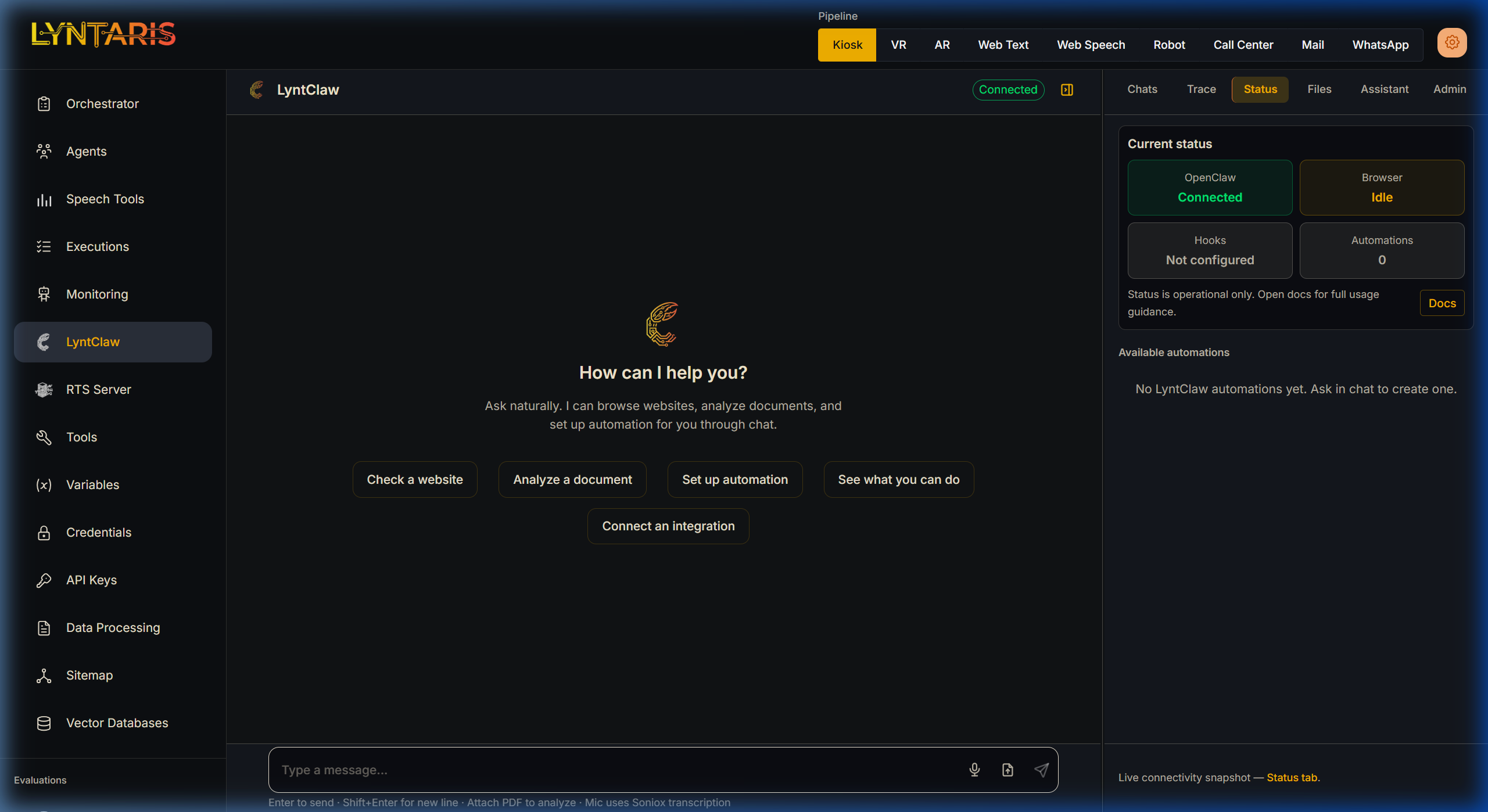
Live connectivity snapshot showing OpenClaw Gateway and Managed Browser states.
2. Workspace Files (Files Tab)
The Files sidebar tab lists the OpenClaw workspace/ directory as seen by the Flowise service (Docker bind mount).
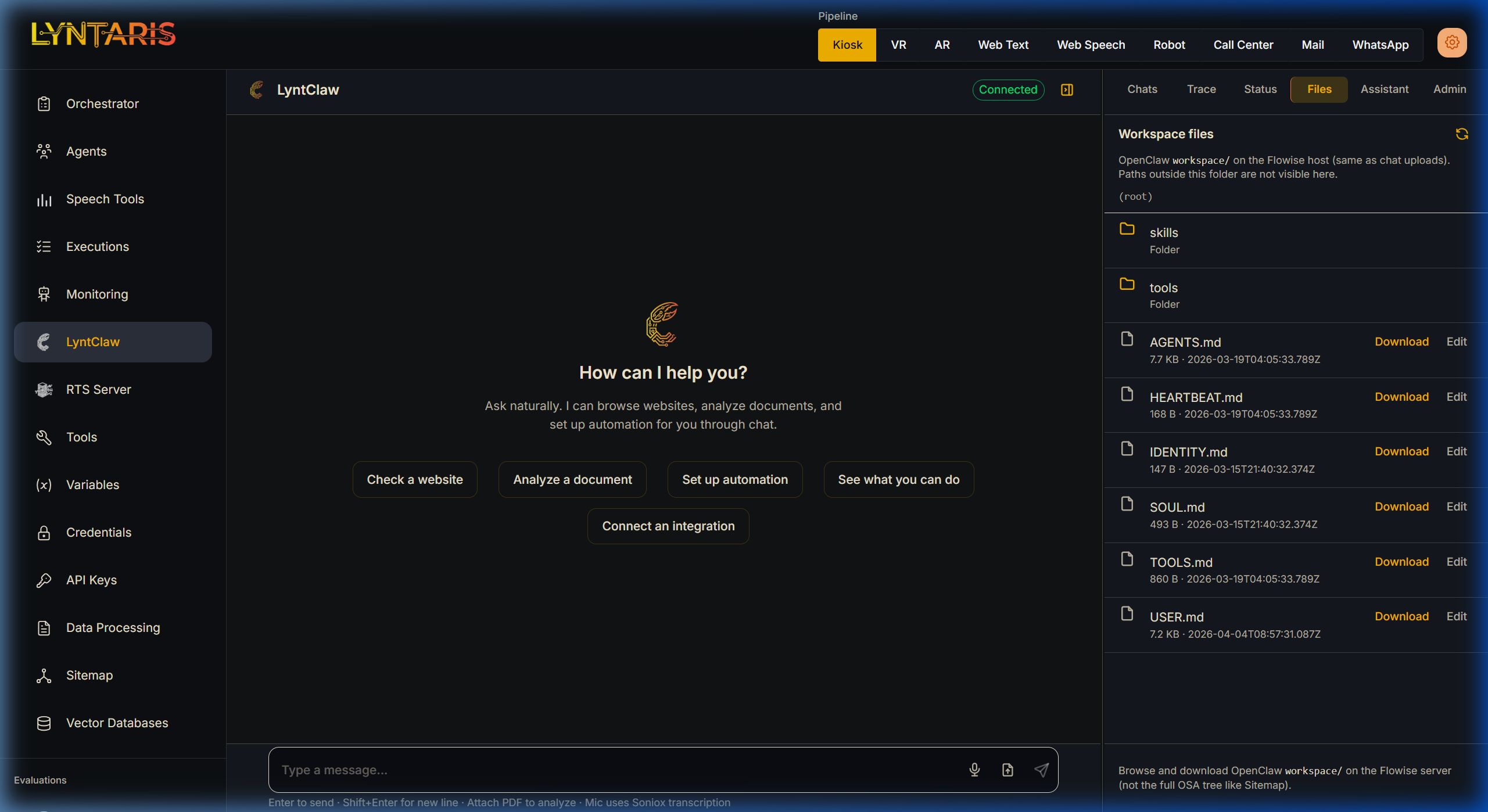
Directly exploring skills, tools, and identity.md files inside the OpenClaw workspace.
What you can do here:
- Download/Edit common text-based formats (
.md,.txt,.json,.yaml). - Create New folders and New files instantly.
- Manage chat PDF uploads that land in this exact disk tree.
[!CAUTION] This is not the Domain files browser. Do not try to upload massive RAG archives here. Use the Sitemap & Web Pipeline for public company data.
🔒 Admin-Only Surfaces
Sensitive or risky work belongs in controlled admin surfaces, not in a normal chat thread:
- Credentials and secrets — Binding API keys, webhooks, and secret material.
- Webhook config — Tokens and integration binding; Save applies webhook settings. Browser defaults come from generated server config.
If the assistant refuses something as "admin only", you must use the respective Admin panels natively defined by your Flowise workspace role.
🛠️ Troubleshooting
- Files tab empty or “workspace not configured” — Flowise needs
OPENCLAW_WORKSPACE_DIRpointing at the mounted tenant workspace. - Gateway disconnected — Verify OpenClaw gateway URL/token or network reachability.
- Browser unavailable — Managed browser might have a stale Chromium profile lock on the server after an ungraceful restart. Operators must clear lock files via runbook.
- Delete conversation — Deletion updates the on-disk OpenClaw session store. Flowise requires the
OPENCLAW_CONFIG_DIRmount; if missing, deletions will throw a clear server error.