Confluence
Confluence
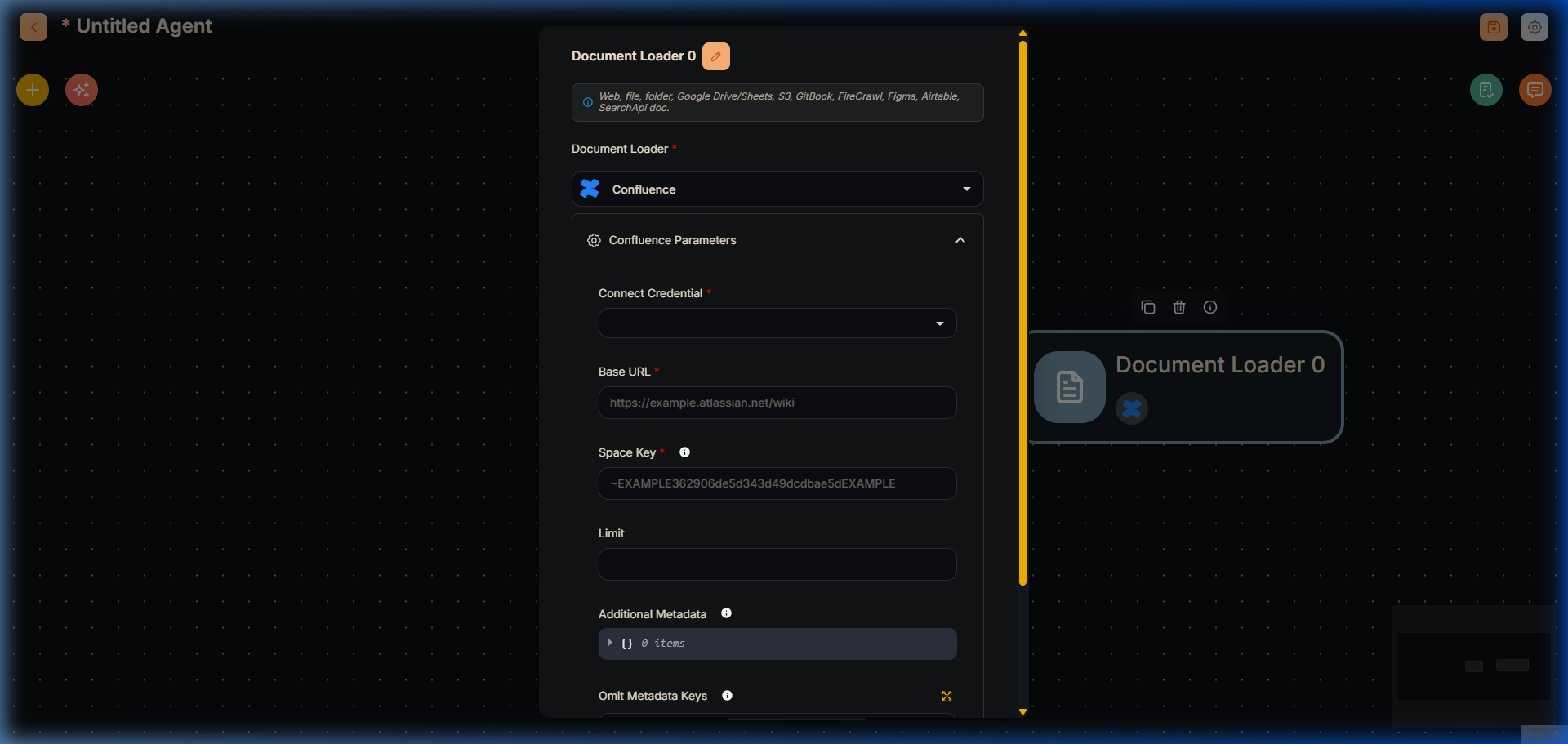
Confluence Node v V2
Confluence Document Loader
Confluence is Atlassian's enterprise wiki and collaboration platform. This module provides functionality to load and process content from Confluence spaces and pages.
This module provides a sophisticated Confluence document loader that can:
- Load content from specific Confluence spaces
- Support both Cloud and Server/Data Center deployments
- Handle authentication with multiple methods
- Limit the number of pages retrieved
- Process content with text splitters
- Customize metadata extraction
Inputs
Required Parameters
- Base URL: The Confluence instance URL (e.g., https://example.atlassian.net/wiki)
- Space Key: The unique identifier for the Confluence space
- Connect Credential: Choose between:
- Confluence Cloud API credentials (username + access token)
- Confluence Server/DC API credentials (personal access token)
Optional Parameters
- Text Splitter: A text splitter to process the extracted content
- Limit: Maximum number of pages to retrieve (0 for unlimited)
- Additional Metadata: JSON object with additional metadata
- Omit Metadata Keys: Comma-separated list of metadata keys to omit
Outputs
- Document: Array of document objects containing metadata and pageContent
- Text: Concatenated string from pageContent of documents
Features
- Multi-deployment support (Cloud/Server/DC)
- Flexible authentication options
- Page limit controls
- Content processing capabilities
- Metadata customization
- Error handling
- Text splitting support
Authentication Methods
Confluence Cloud
- Requires username and access token
- Access token generated from Atlassian account settings
- Supports API token authentication
Confluence Server/Data Center
- Uses personal access token
- Token generated from Confluence instance
- Supports direct server access
Notes
- Space Key can be found in Confluence space settings
- Different authentication methods for Cloud vs Server
- Rate limiting may apply based on instance
- Content includes page text and metadata
- Supports both full and partial content retrieval
- Error handling for invalid credentials or URLs
Finding Space Key
To find your Confluence Space Key:
- Navigate to the space in Confluence
- Go to Space Settings
- Look for "Space Key" in the overview
- Format example: ~EXAMPLE362906de5d343d49dcdbae5dEXAMPLE