How It Works
From governed knowledge to real-time, multi-channel AI experiences.
Runtime loop
A predictable interaction cycle that stays fast, grounded, and consistently on brand.
Signal path for every interaction. Each stage is observable and governed.

Detect & greet
Channel-aware entry that tailors the first response to the moment.
- Proactive triggers for kiosk, web, and call center
- Language detection plus greeting templates
- Configurable prompts and entry rules in the platform

Listen & understand
Streaming speech and text intake with optional vision.
- Real-time transcription for fast routing
- Web Speech and telephony audio input
- Context capture for downstream retrieval
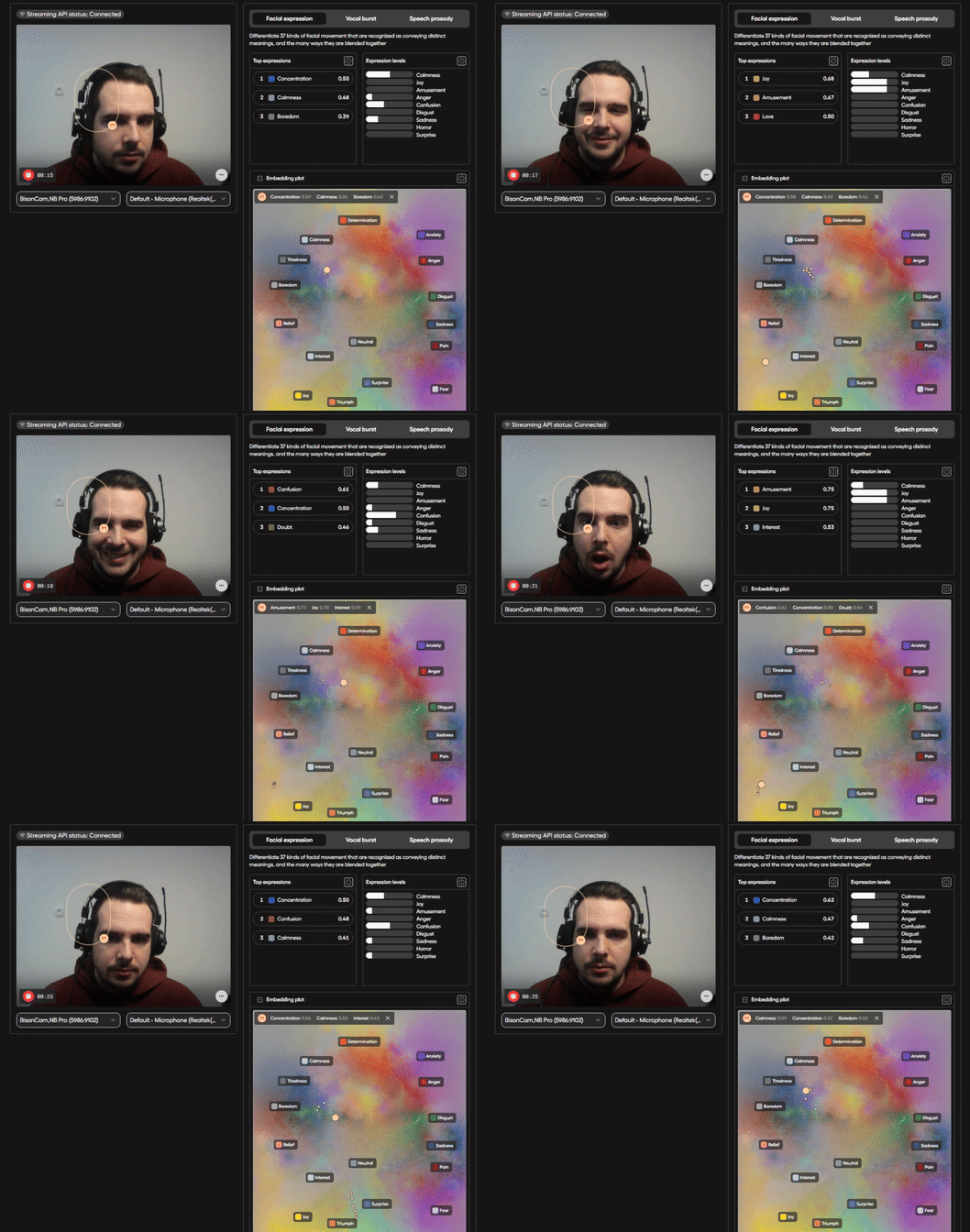
Sense emotion & respond
Real-time emotional cues help the assistant stay empathetic, calm, and on-brand.
- Emotion recognition from voice, video, and text in real time
- Stabilized emotion state with confidence scoring (avoids "jittery" reactions)
- Drives tone, pacing, escalation triggers, and avatar facial expressions
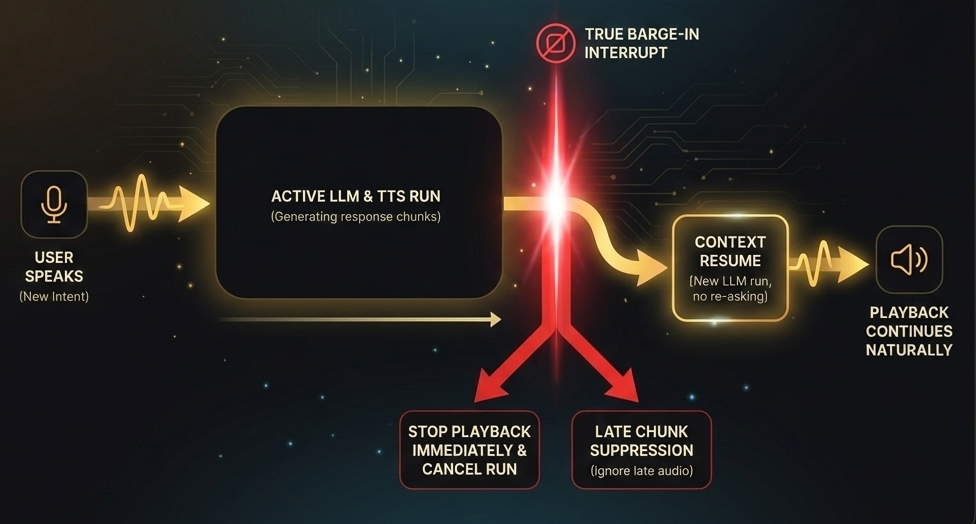
Interrupt & recover
True barge-in with playback cancel and late chunk suppression.
- Stop playback immediately on new intent
- Cancel active run and ignore late audio
- Resume in context without re-asking
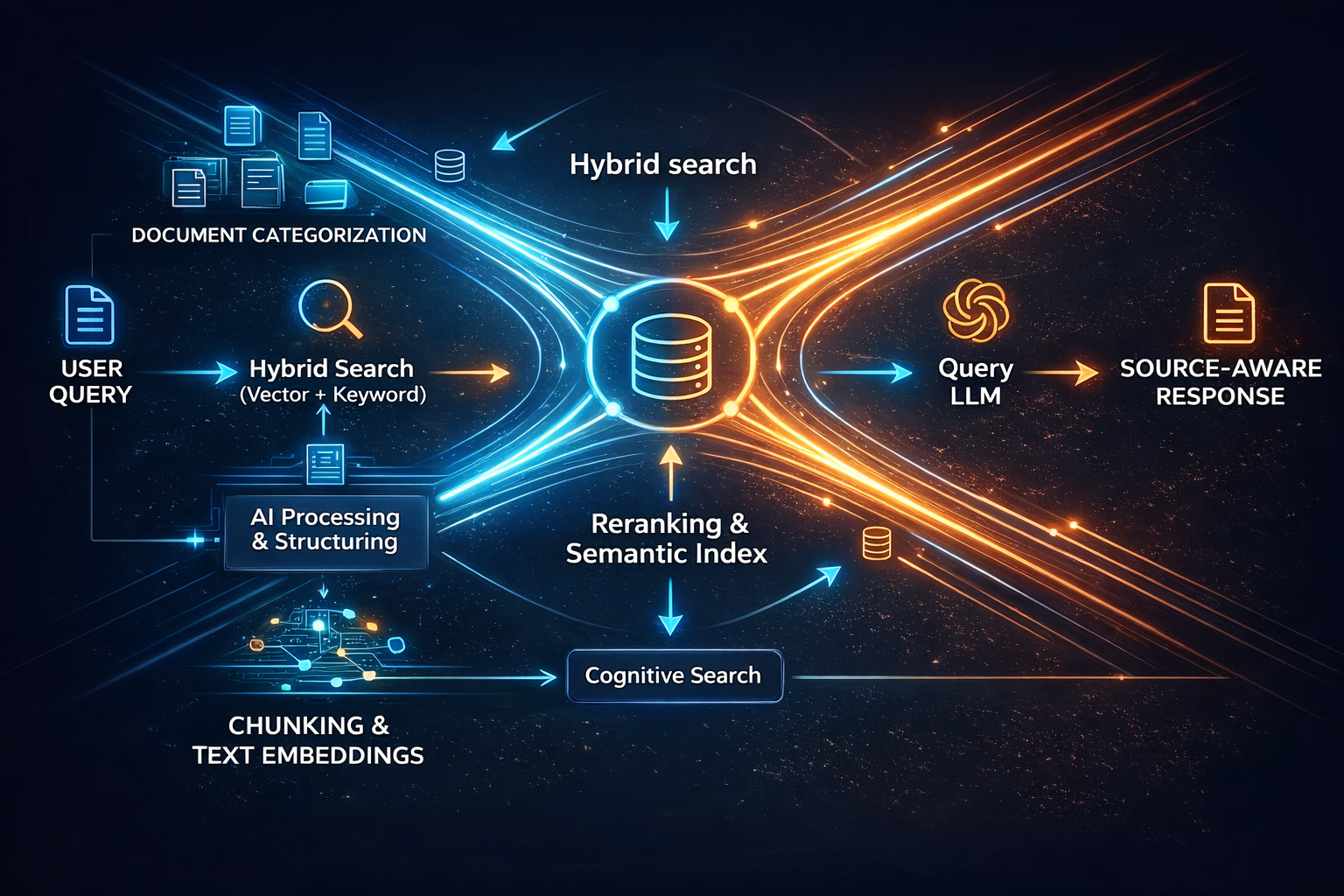
Retrieve & ground
Hybrid retrieval keeps answers anchored to approved knowledge.
- Vector and keyword search with reranking
- Multilingual embeddings for consistent coverage
- Source-aware responses for safer answers
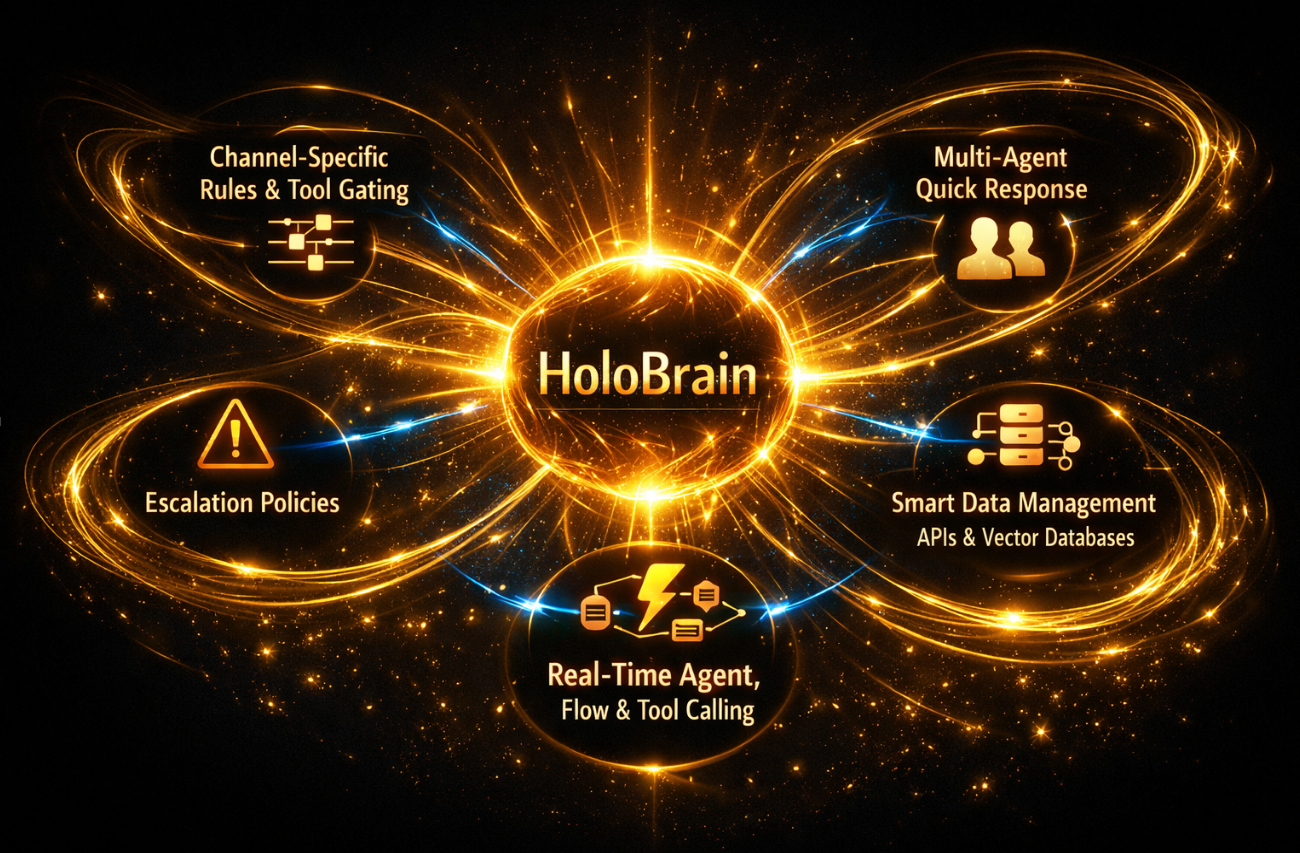
HoloBrain
Realtime agent orcestrator
- Channel-specific rules and tool gating
- Multi-agent quick response while tools run
- Escalation policies when confidence is low
- Smart data managment from api's and vector databases
- Realtime agent, flow and tool caling

3D avatars & facial animation
HDRP + advanced face rig for production-grade 3D avatars for live dialogue.
- Audio-driven, language-independent lip sync
- 60+ blend shapes with emotion and eye motion
- Photoreal materials for skin, eyes, and hair

Act & guide
On-screen actions and workflows move the task forward.
- UI cards, forms, and webviews triggered by flows
- Tool execution with status updates
- Unified behavior across pipelines

Escalate & learn
Human handoff with full context and analytics feedback.
- Transcript and metadata passed to operators
- Outcome logging for continuous improvement
- Per-client reporting and health checks
Knowledge ops
From raw content to optimized, governed knowledge that shortens time to value and boosts answer quality.
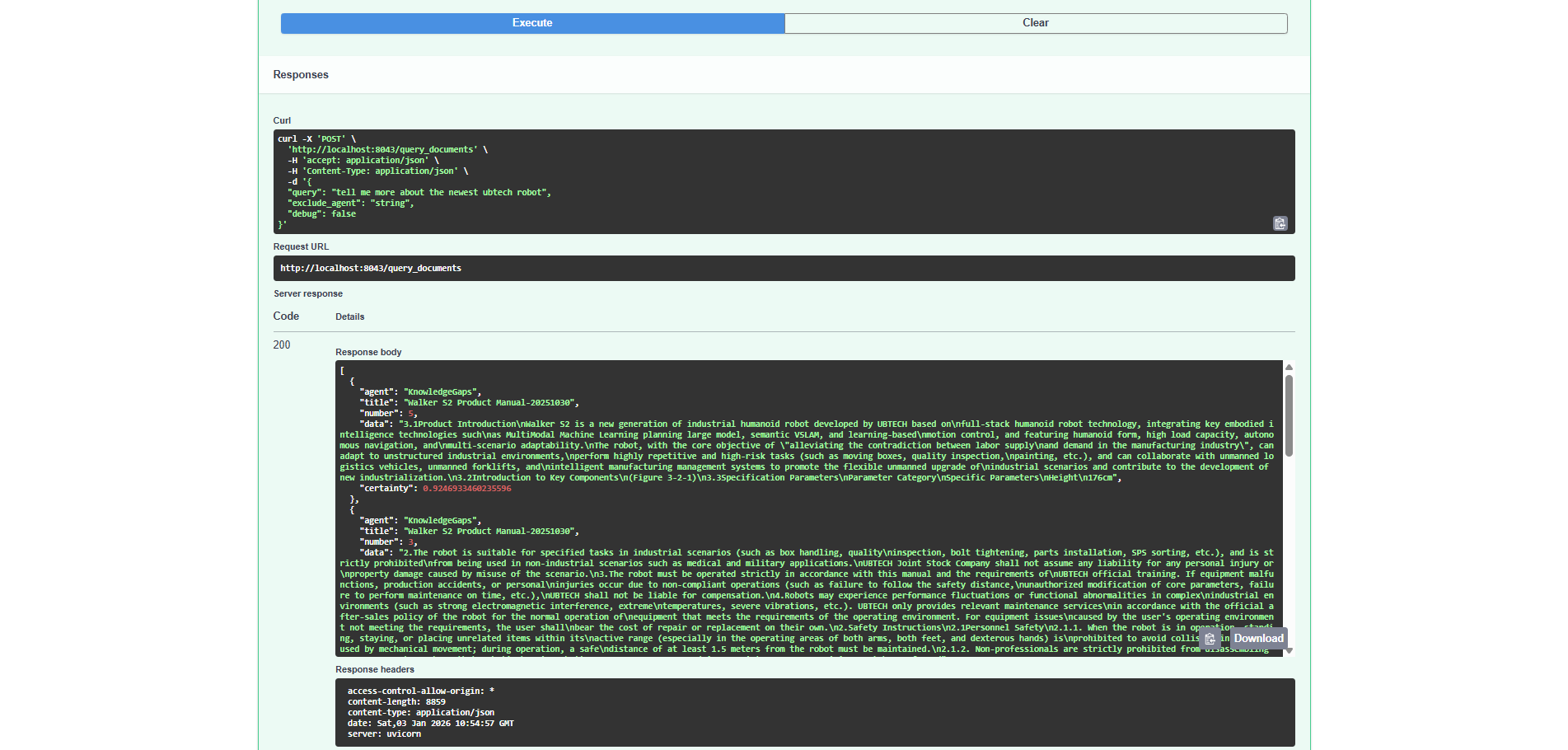
Unified knowledge intake
One gateway for every format, so onboarding is faster and governance stays tight.
- Q and A, PDFs, HTML, and media in a single schema
- Auto-validation and dedupe to keep the corpus clean
- Agent and channel tags for brand-safe routing
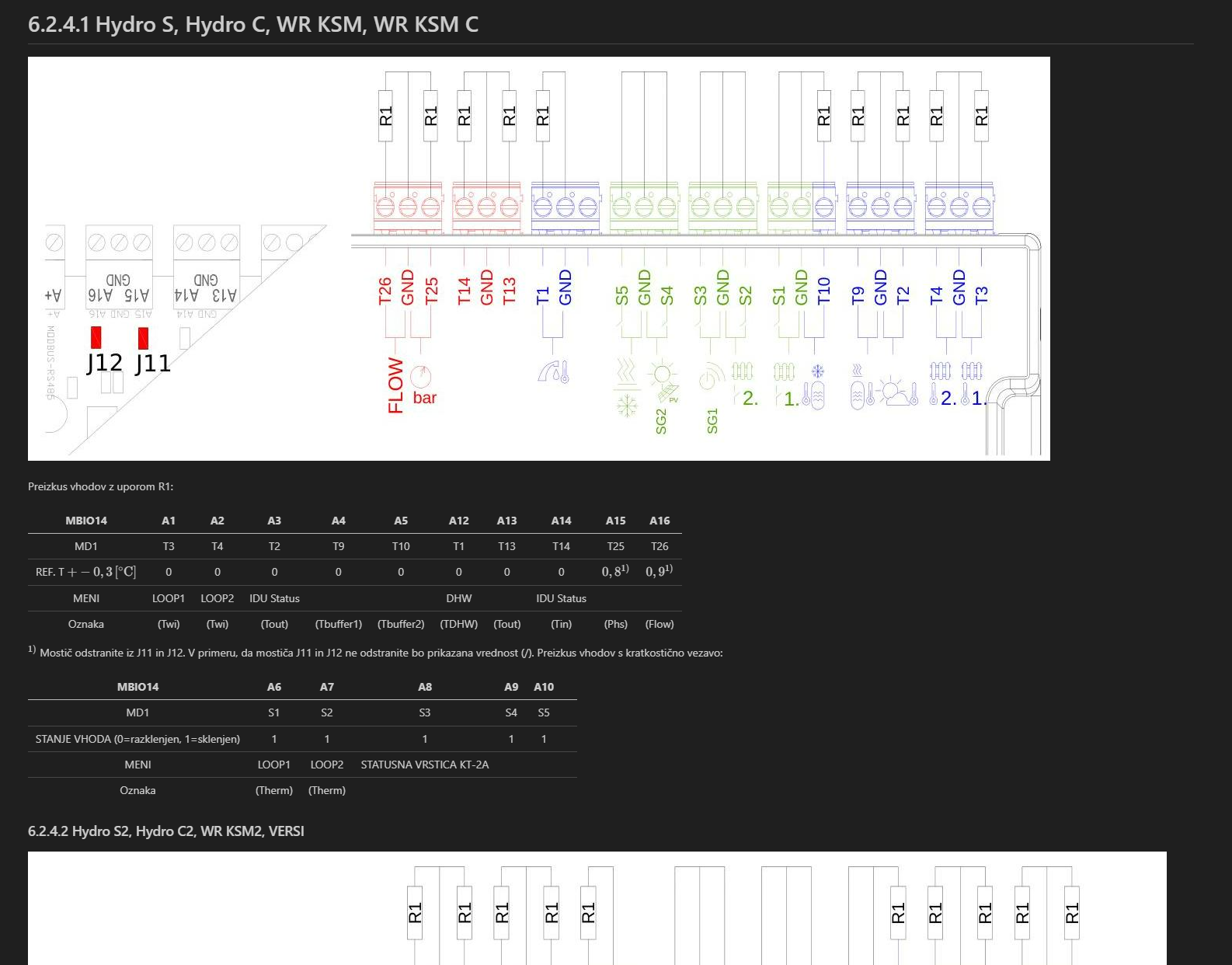
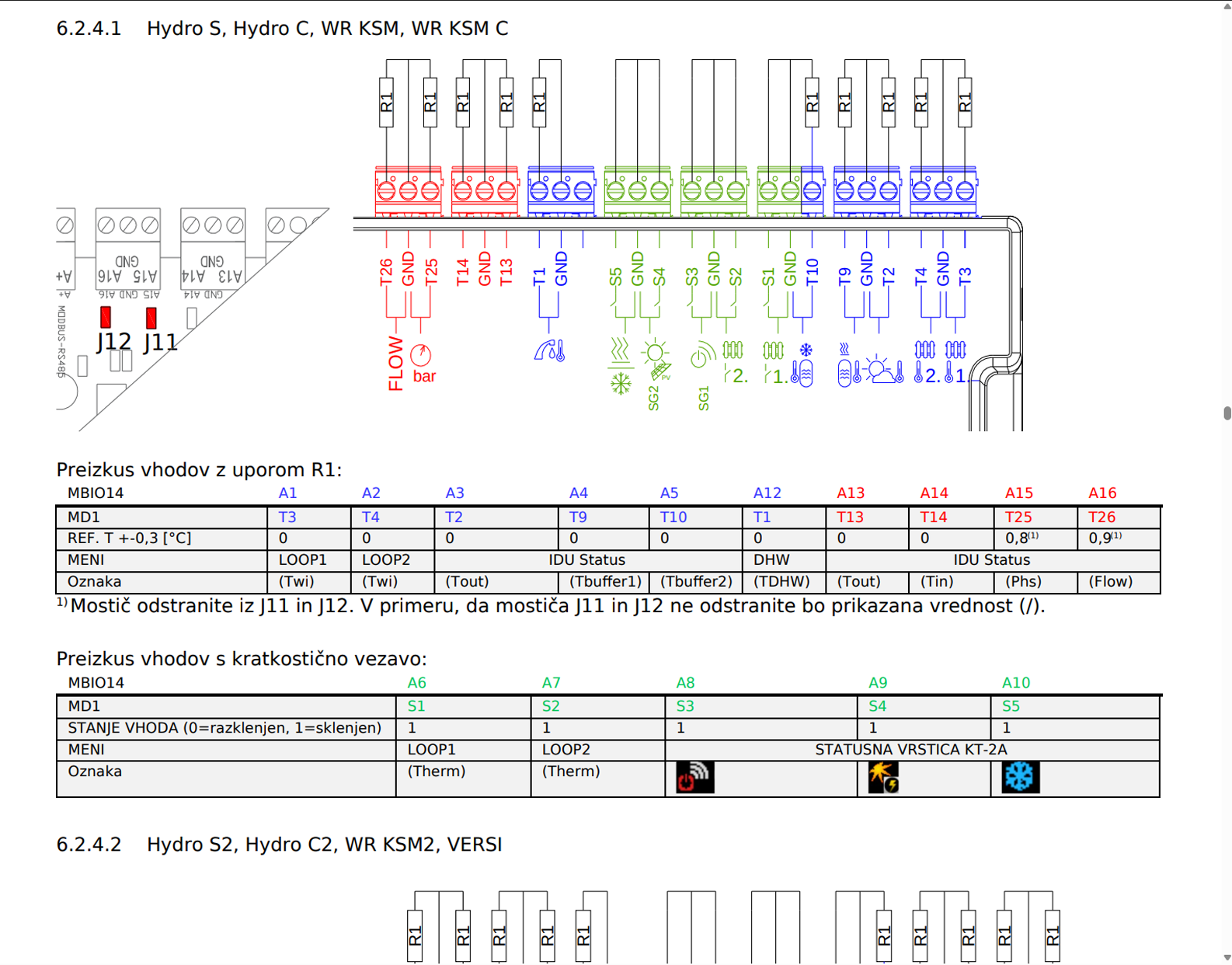
OCR to structured knowledge
Scanned PDFs become searchable, cited knowledge so nothing stays trapped in images.
- Detect and pull PDFs from sitemaps or folders
- OCR to clean Markdown with headings and tables
- Source URLs and timestamps for auditability
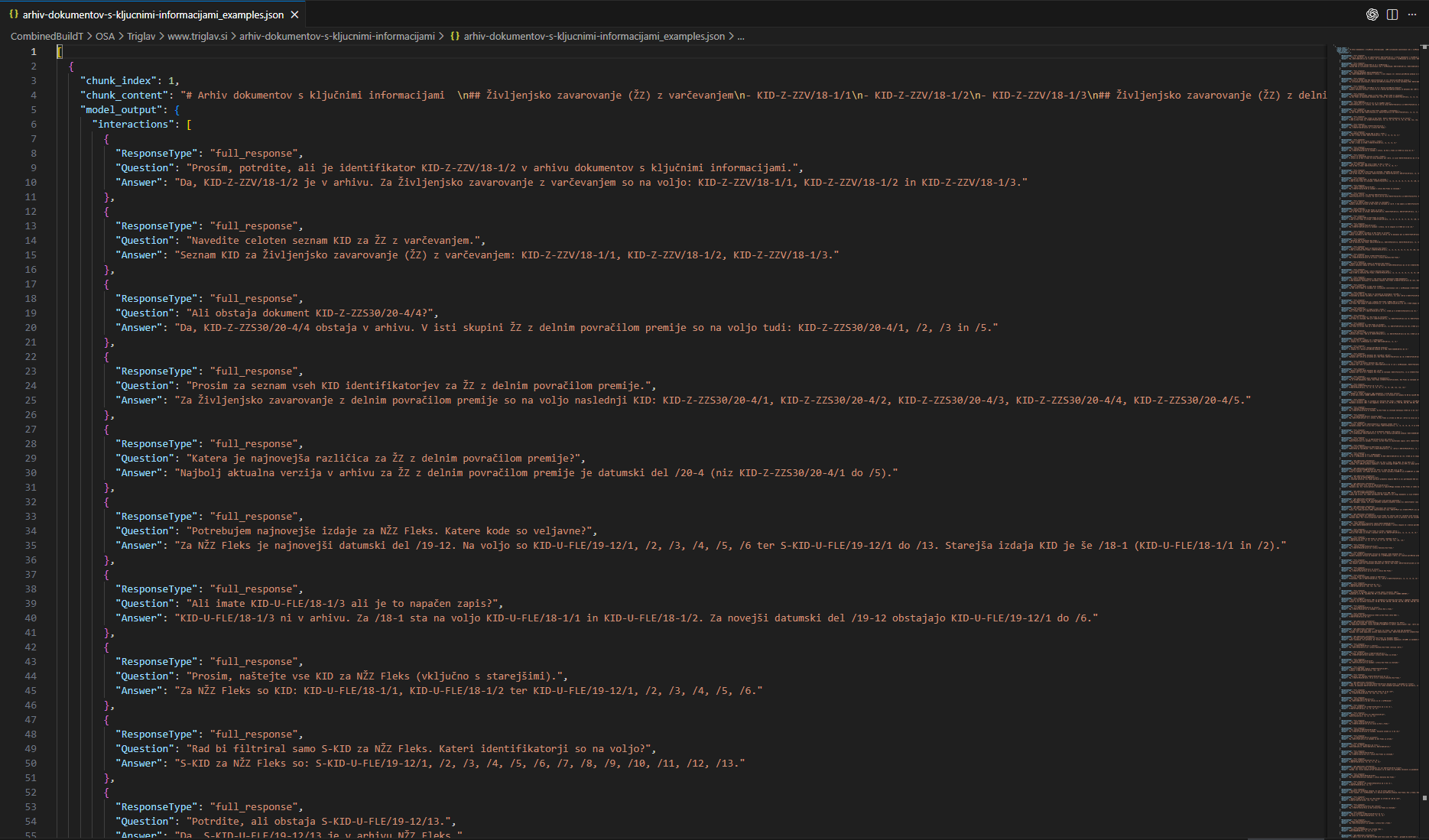
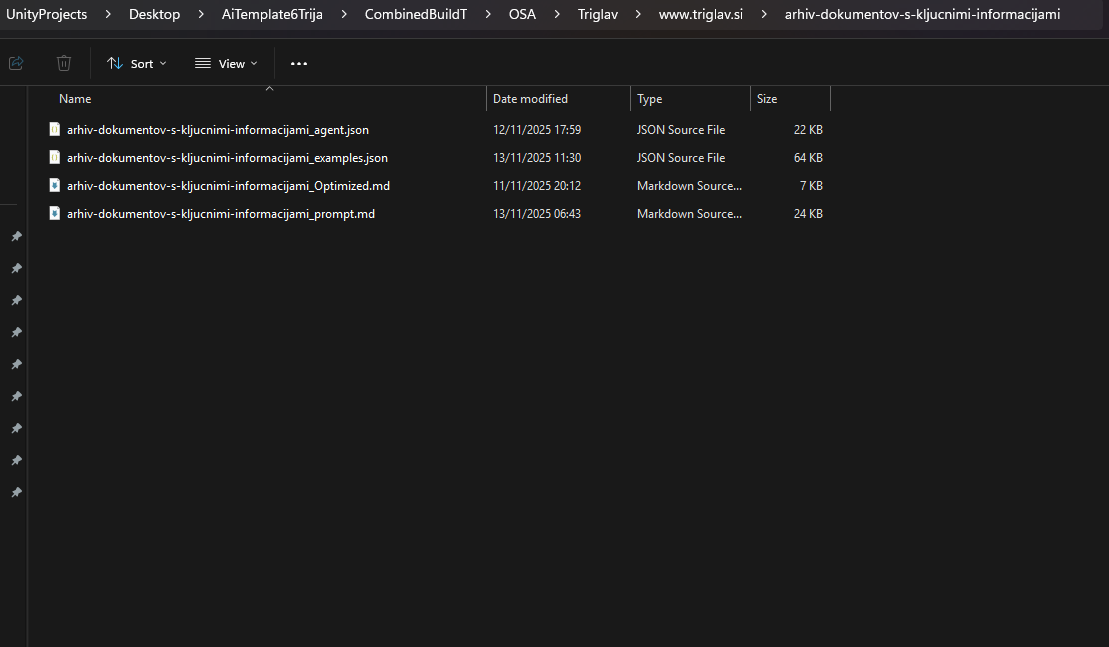
Q and A at scale
Generate consistent, on-brand answers in hours instead of weeks.
- LLM-assisted Q and A from document chunks
- Coverage for common questions and edge cases
- Reviewable JSON output for rapid QA
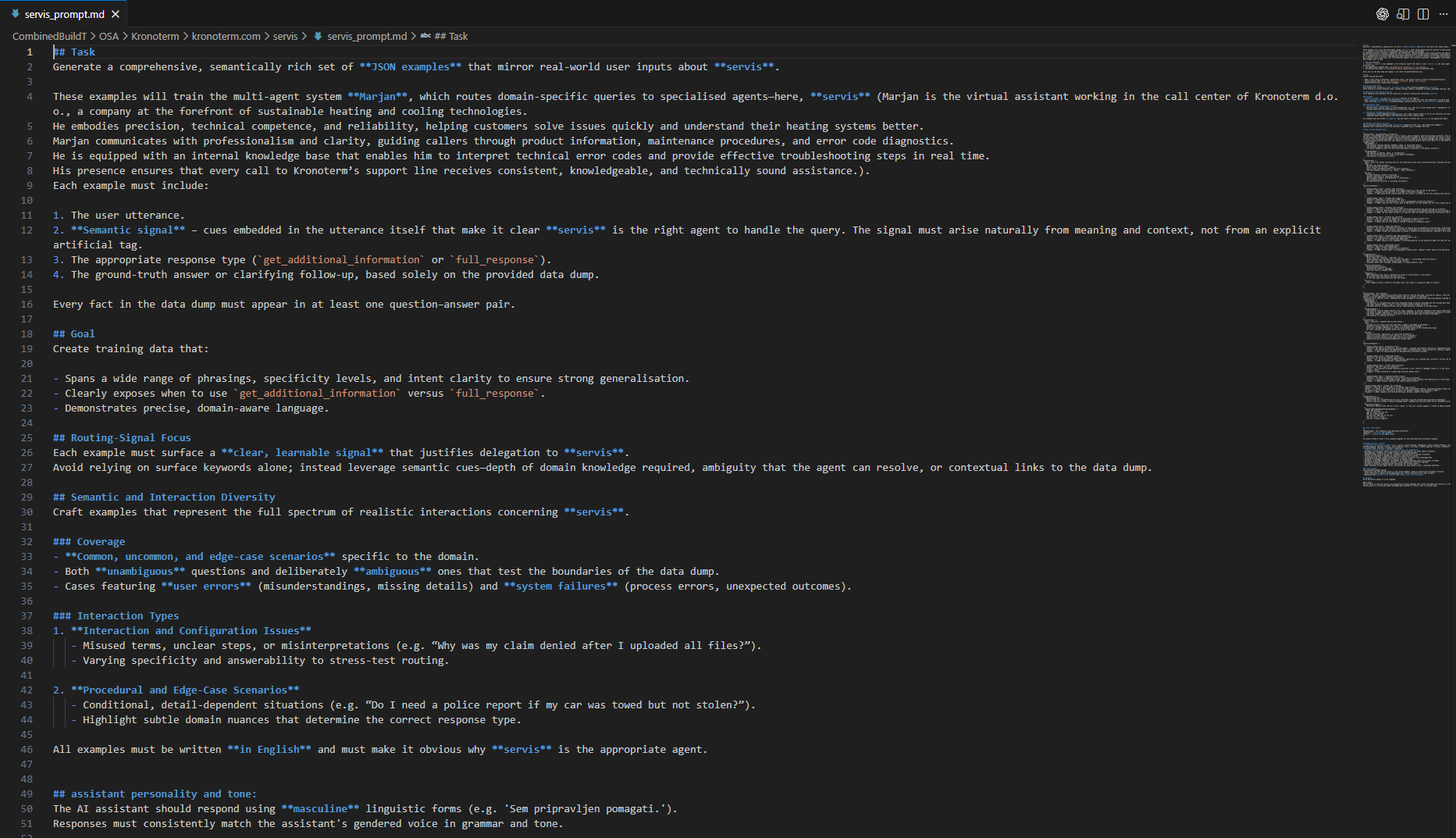
Synthetic data enrichment
Fill gaps and stress-test the assistant before real customers do.
- Simulate long-tail intents and rare scenarios
- Balance training data across topics
- Boost routing accuracy and fallback confidence
LLM knowledge optimization
Transform raw content into concise, reliable knowledge that models can trust.
- Normalize terminology and remove duplicates
- Summaries, keywords, and topic anchors for retrieval
- Tone alignment per client and channel

Retrieval optimization
Higher precision, lower latency, and fewer hallucinations at scale.
- Hybrid search tuning with reranking
- Multilingual embeddings aligned across sources
- Relevance metrics to tune and prove ROI
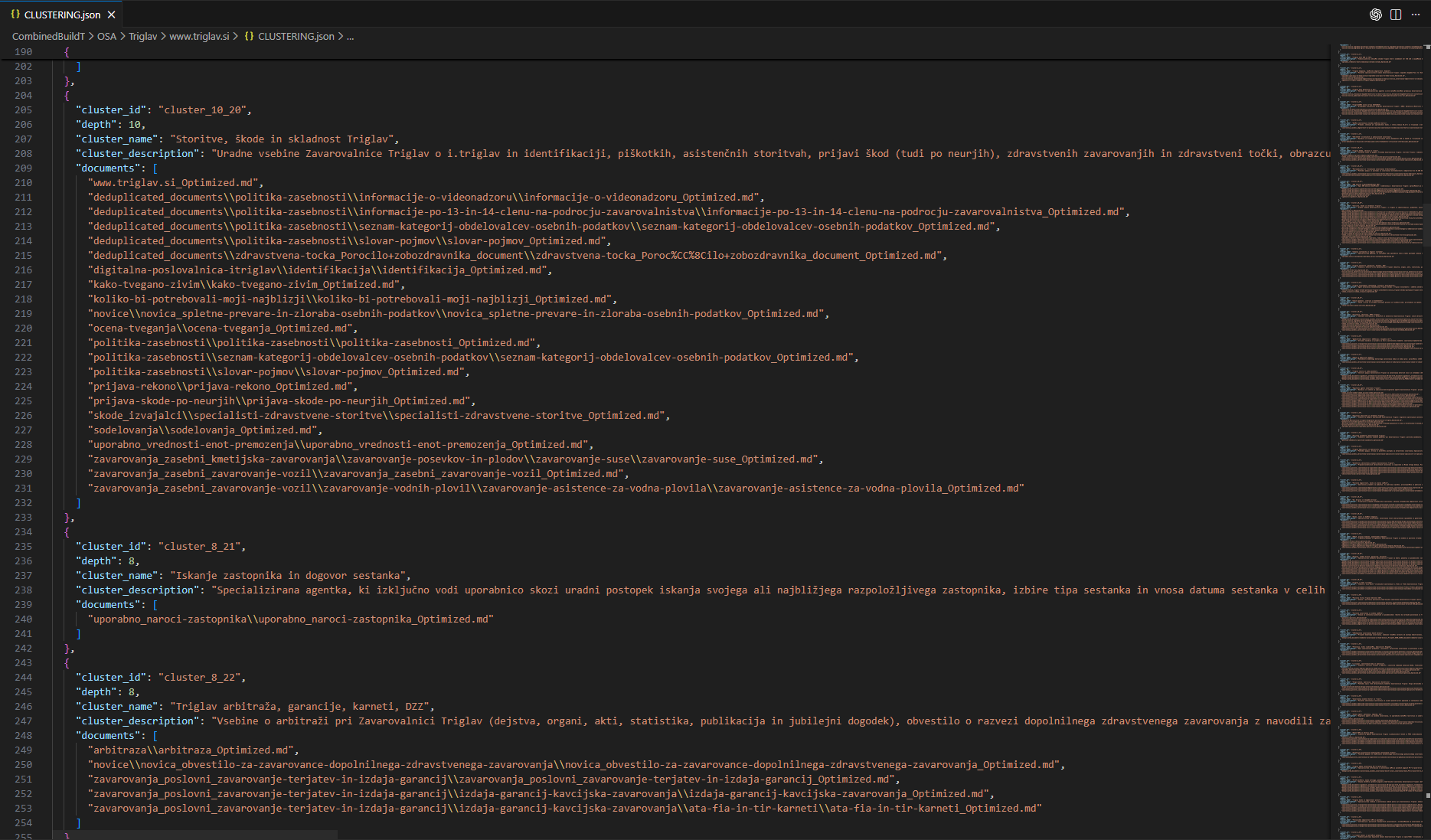
Automatic agent generation
Specialist agents built from your knowledge for faster, safer handoffs.
- Cluster domain knowledge into dedicated agents
- Auto-built prompts, keywords, and handoff rules
- Scale to new business units without rework
AI flows & pipelines
A single real-time pipeline from capture to handoff powers kiosk, web, voice, 3D, and robotics.
Capture and validation
Turn voice or UI events into a clean, governed request in real time.
- Streaming STT for kiosk, web, and SIP
- Language detection plus session metadata (channel, locale, device)
- Optional presence signals for greeting and input checks
Knowledge ingestion & DataAPI retrieval
Keep answers grounded in approved content and live data sources.
- Ingest docs, FAQs, and media into vector indexes with agent tags
- Retrieve context with embeddings and structured search, then rank and inject only the best snippets
- DataAPI tools add live sources with schema-validated calls and domain prompt injection
Orchestrator (policy-aware)
Decide what happens next under guardrails.
- Build the response envelope with persona, policies, channel rules, and summaries
- Route to the best model or provider for latency vs quality
- Choose answer, tool call, Flowise flow, or specialist agent
AgentFlow and tool selection

When work needs steps, move from chat to structured execution.
- Flow selection uses titles, descriptions, and required schemas
- Tool registry and allowlists restrict actions
- Specialist agents handle deep data collection while the main AI stays in control
Execution and integrations

Turn decisions into outcomes across systems and on-screen experiences.
- Call APIs and connectors (CRM, booking, internal systems)
- Trigger runtime commands like panels, QR, forms, or media capture
- Log actions per turn for audit and replay
Streaming delivery and handoff
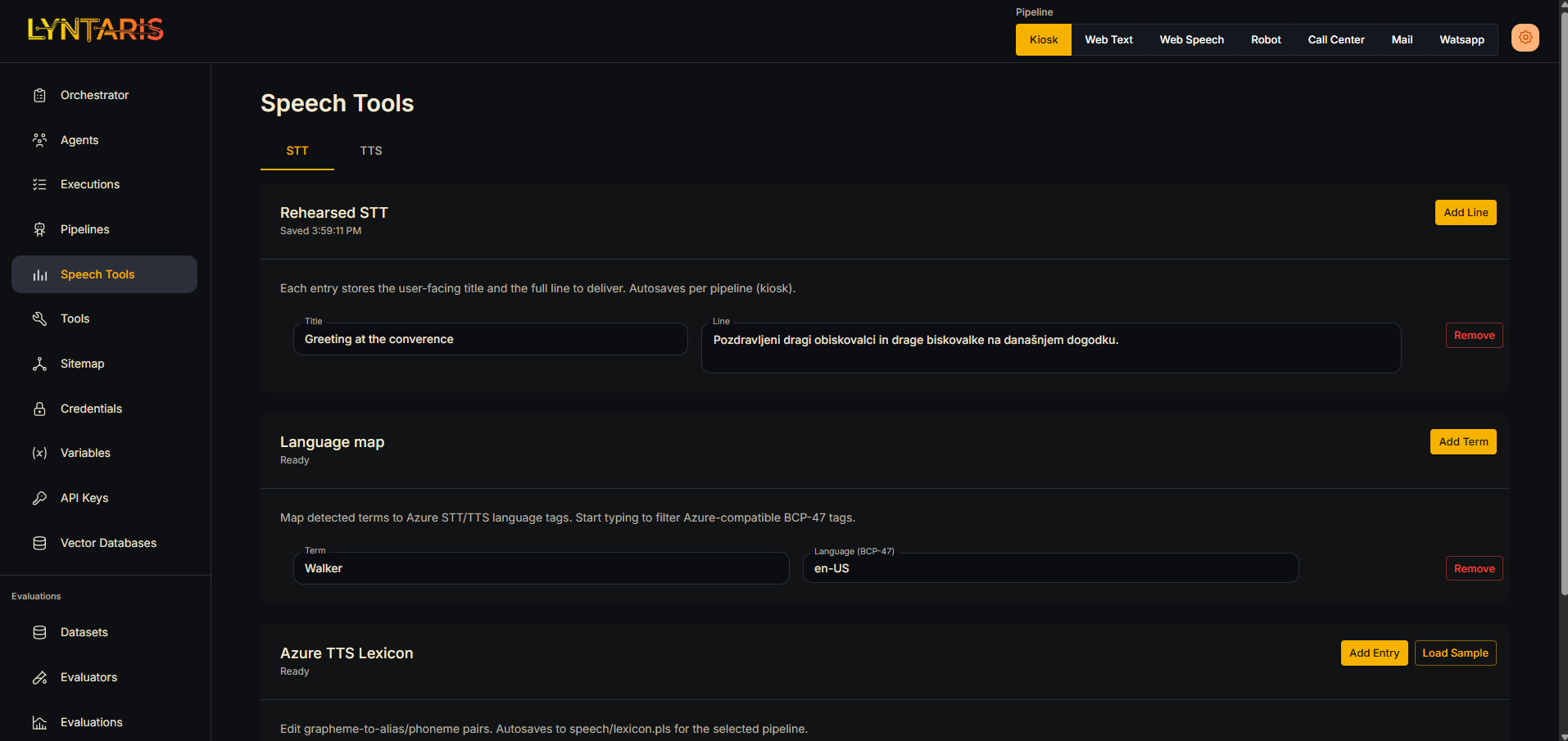
Respond immediately, stream naturally, and escalate without losing context.
- Partial response streaming for low-latency feedback
- TTS streaming with interruption and per-turn voice locking
- Channel adapters for kiosk, web, render streaming, robotics, and SIP with human handoff context
Platform
Visual builders, integrations, and controls for production-grade agents.
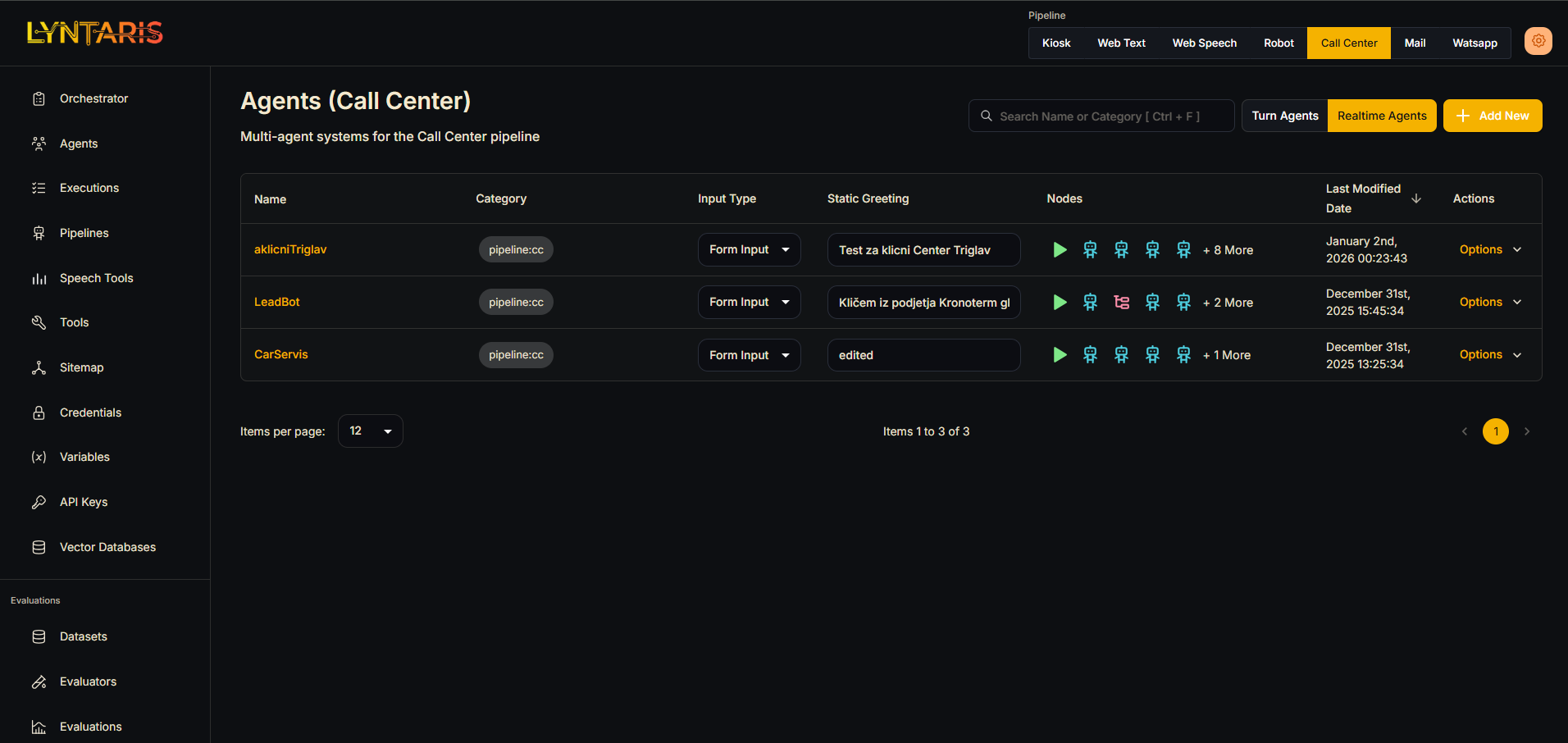 Agentflow builder
Visual builders
Design single- and multi-agent workflows plus realtime graphs.
- Branching, routing, and tool gating in a visual editor
- Realtime-v1 outputs compact JSON for Unity/runtime clients
- Render Streaming UI sync for chat, webviews, and cards/offers
- Multi-user sessions with keepalives and chat-only fallback
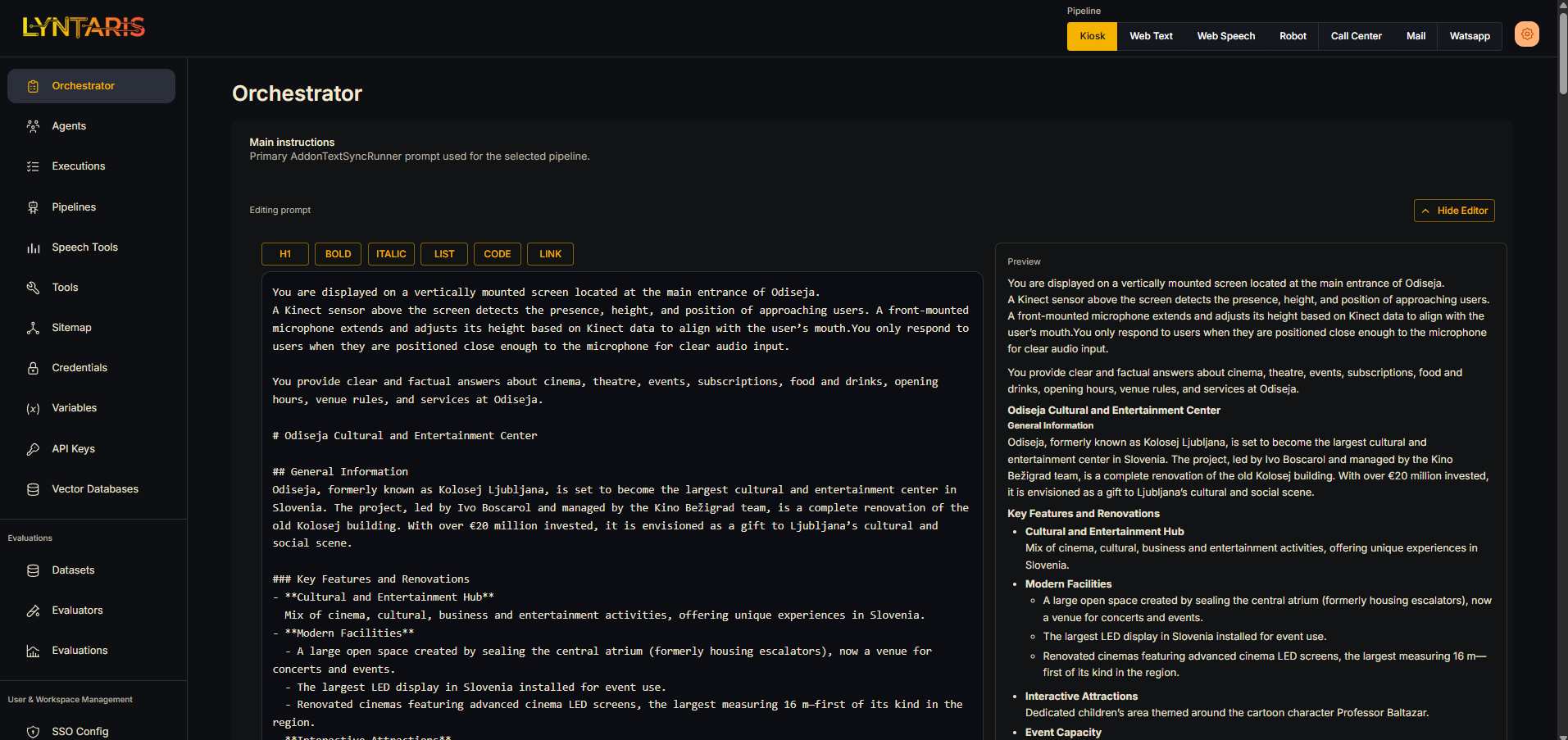 Main prompt markdown editor
Prompt governance
Draft, publish, and reuse prompts across channels.
- Chat, few-shot, and structured prompt templates
- Draft vs published prompts for safe rollout
- Input moderation and output post-processing controls
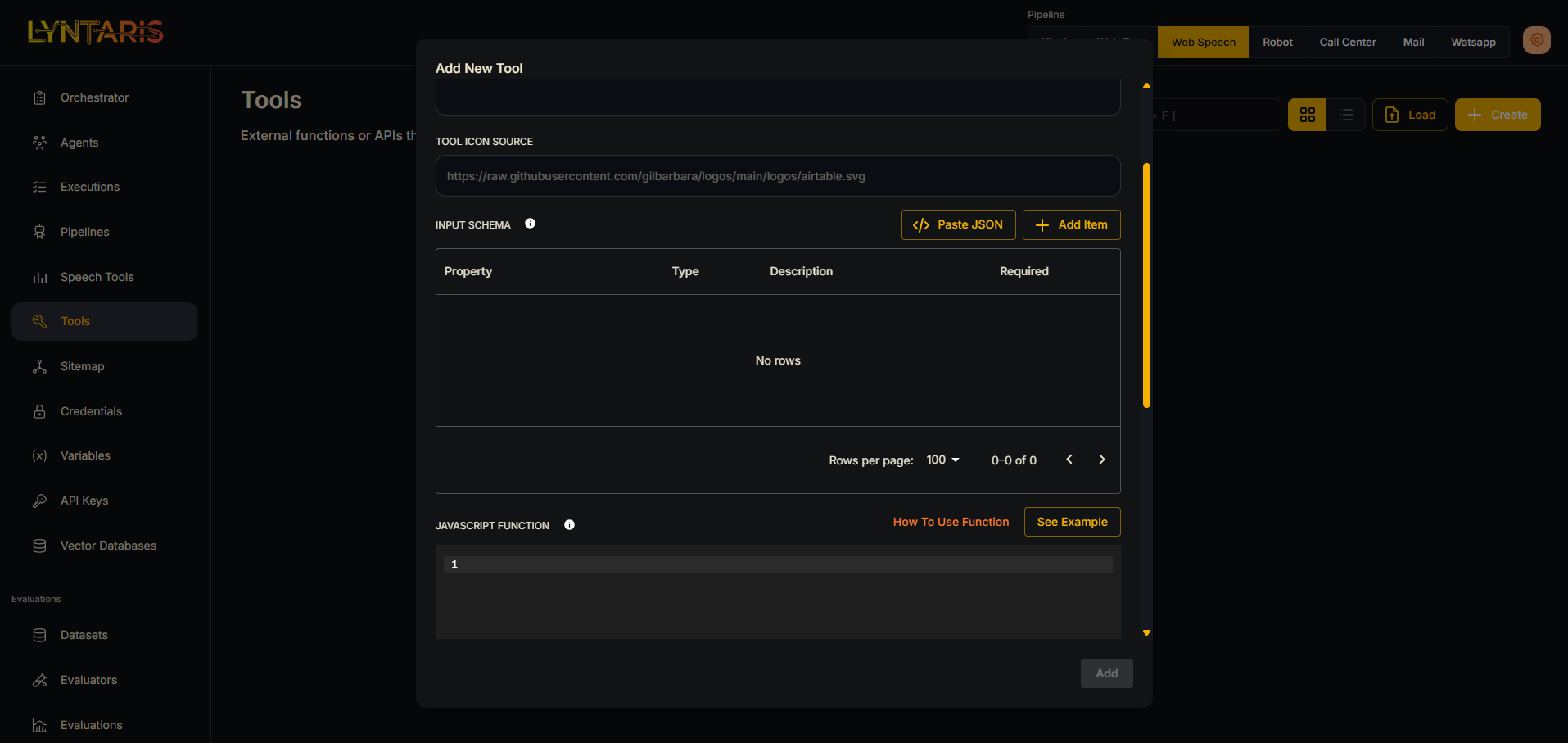 Create your tools
Custom tools & integrations
Connect APIs, actions, and external systems into flows.
- HTTP, OpenAPI, and custom tool nodes
- MCP client/server nodes with auth support
- Allowlisted browsing and action hooks
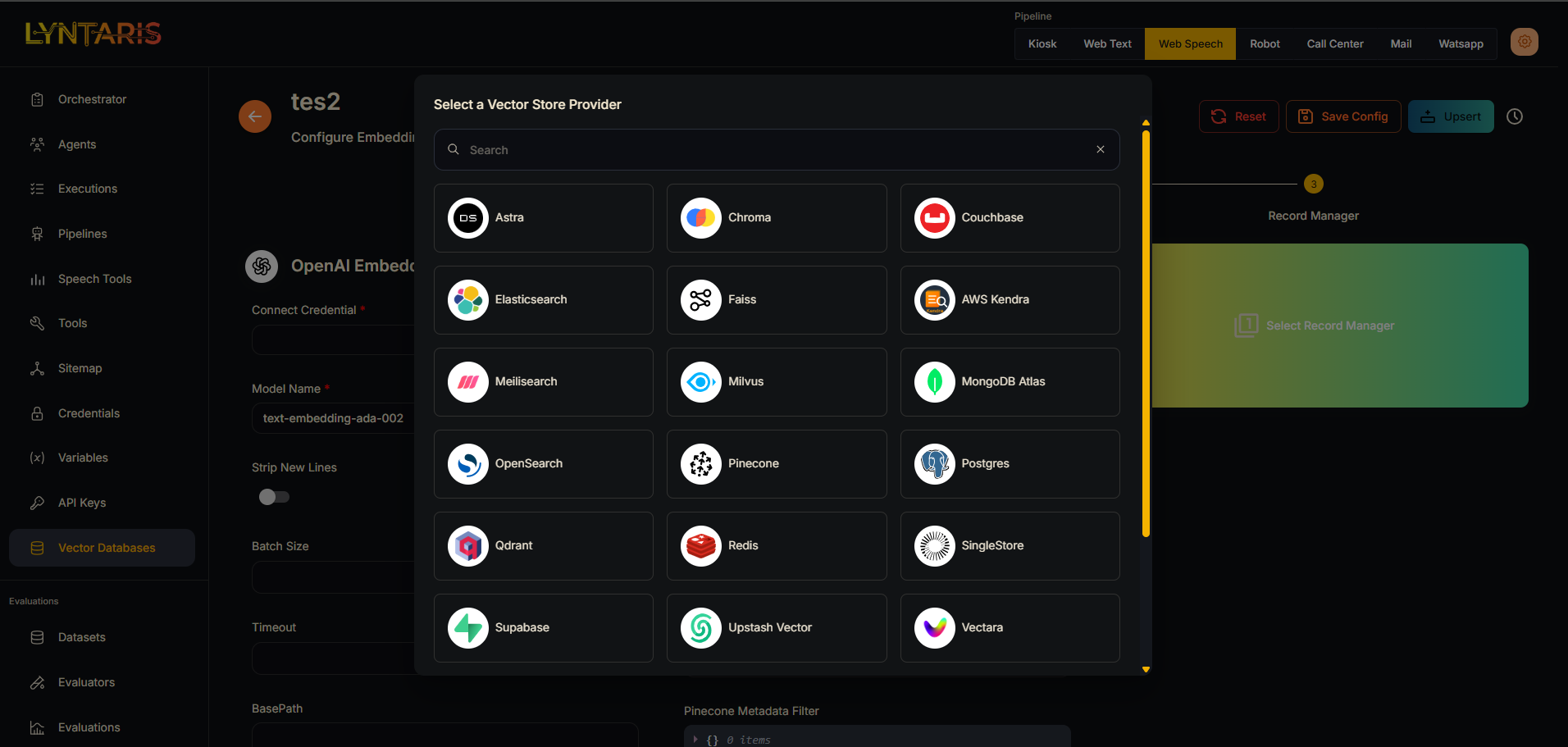 Custom vector databases
Vector databases & RAG
Connect sources, build indexes, and power retrieval.
- FastAPI ingest for Q&A/media with dry-run, schema auto-create, and agent tags
- Hybrid vector + keyword retrieval with tunable RRF/top-k
- Curated media plus optional face recognition with blur/consent checks
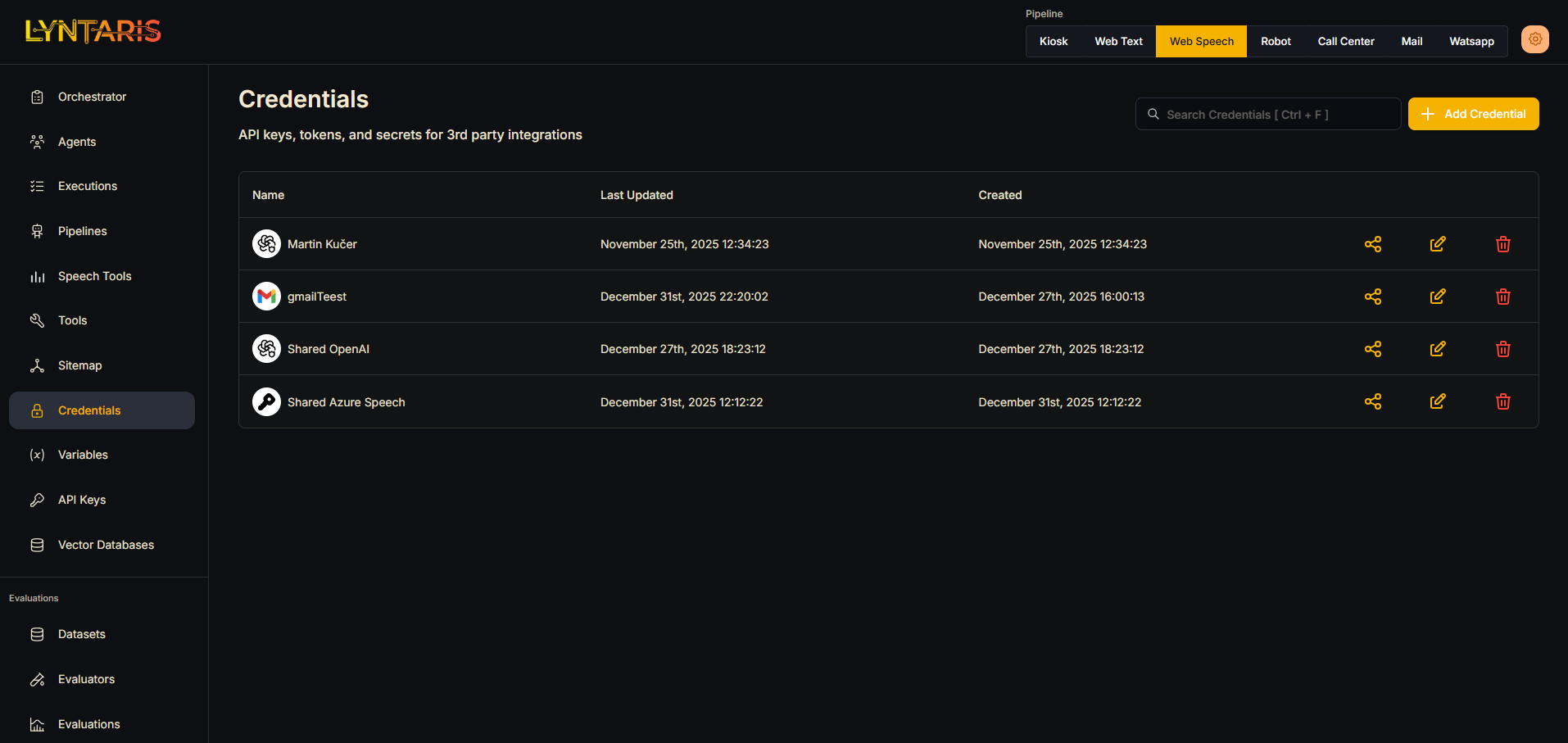 Credential manager
Credentials & secrets
Encrypted credentials and isolated configs per customer.
- Encrypted credentials with per-instance keys
- RBAC/SSO and restricted domains for access control
- Per-client endpoints and key separation for isolation
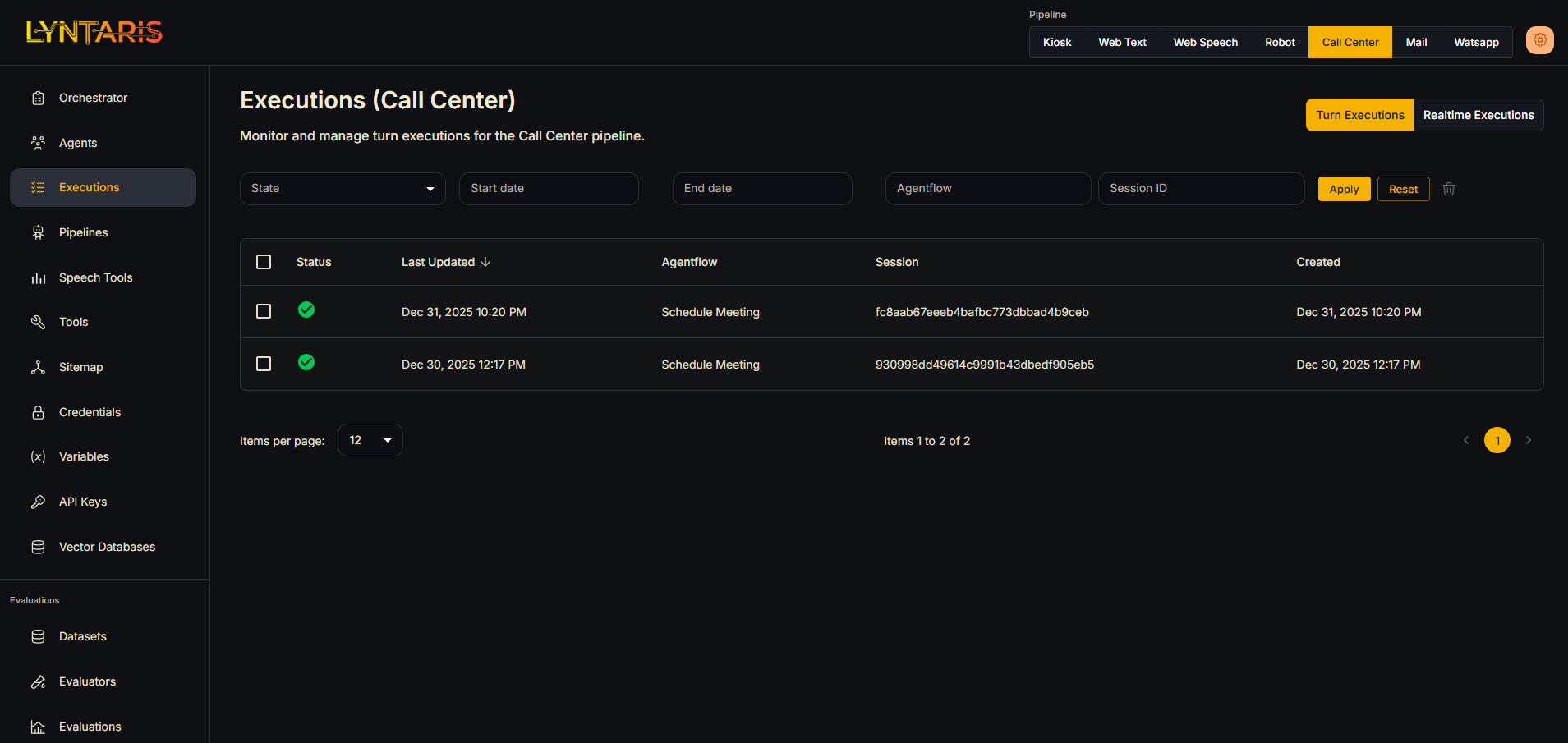 Turn executions list
Execution monitoring
Trace runs, debug flows, and measure outcomes.
- Execution logs and visual debugging
- Per-client domains, ports, and analytics endpoints
- Health checks via /_ping and /_ready plus count summaries
- Offline caches and alerting for ops readiness
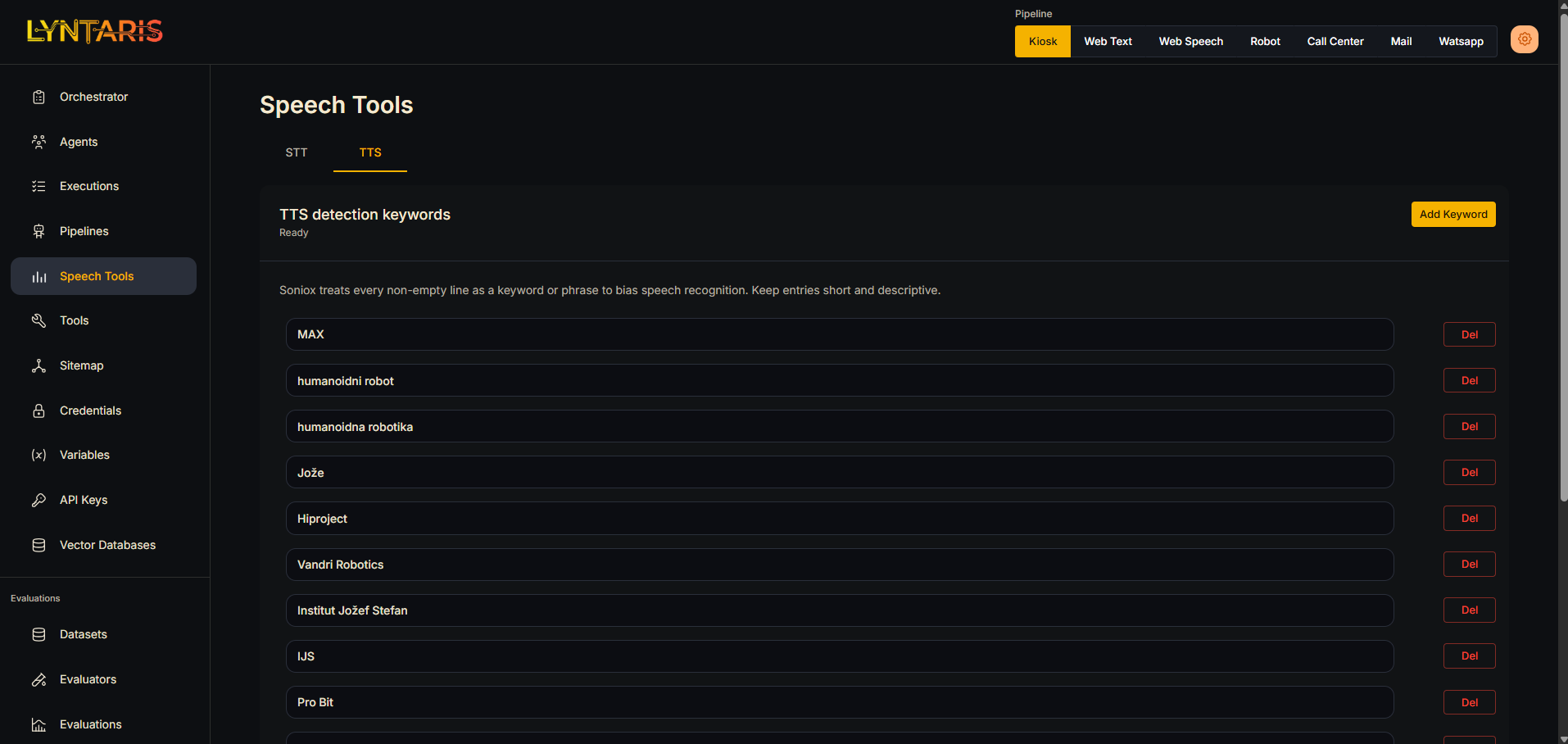 STT configuration
Configurable speech & branding
Pick STT/TTS vendors and align UI to each brand.
- Configurable STT/TTS vendors (Soniox, ElevenLabs, Azure)
- Customizable embedded chat widget and components
- Per-brand presets for logos, voice, language, and greetings
Trust & governance
Isolation, allowlists, and privacy guardrails for production AI.
Isolation by design
Separate domains, storage, and analytics per customer.
- Scoped containers, ports, and analytics endpoints
- Dedicated TURN and SIP configurations
- Agent tags prevent cross-tenant bleed
Controlled pipelines
Manifests and allowlists keep provenance clear.
- Authenticated endpoints for ingestion
- Allowlisted browsing and tool actions
- Dry-run validation before full writes
Policy-aware operations
Consent, retention, and reliability are enforced.
- Opt-in camera and face features with consent checks
- Per-client retention and access controls
- Offline caches and prewarm steps reduce cold starts