---
description: Scrape & Crawl the web with Spider - the fastest open source web scraper & crawler.
---
# Spider Web Scraper/Crawler
Spider Web Scraper/Crawler Node
[Spider](https://spider.cloud/?ref=flowise) is the fastest open source web scraper & crawler that returns LLM-ready data. To get started using this node you need an API key from [Spider.cloud](https://spider.cloud/?ref=flowise).
## Get Started
1. Go to the [Spider.cloud](https://spider.cloud/?ref=flowise) website and sign up for a free account.
2. Then go to the [API Keys](https://spider.cloud/api-keys) and create a new API key.
3. Copy the API key and paste it into the "Credential" field in the Spider node.
## Features
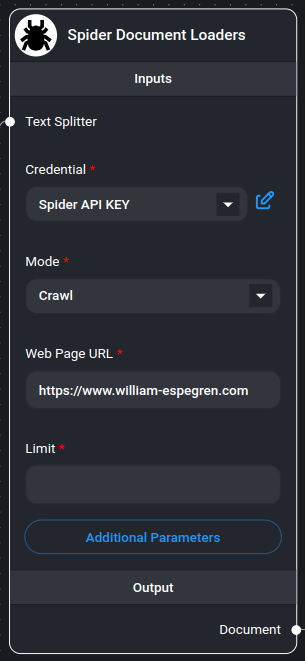
- Two operation modes: Scrape and Crawl
- Text splitting capabilities
- Customizable metadata handling
- Flexible parameter configuration
- Multiple output formats
- Markdown-formatted content
- Rate limit handling
## Inputs
### Required Parameters
- **Mode**: Choose between:
- **Scrape**: Extract data from a single page
- **Crawl**: Extract data from multiple pages within the same domain
- **Web Page URL**: The target URL to scrape or crawl (e.g., https://spider.cloud)
- **Credential**: Spider API key
### Optional Parameters
- **Text Splitter**: A text splitter to process the extracted content
- **Limit**: Maximum number of pages to crawl (default: 25, only applicable in crawl mode)
- **Additional Metadata**: JSON object with additional metadata to add to documents
- **Additional Parameters**: JSON object with [Spider API parameters](https://spider.cloud/docs/api)
- Example: `{ "anti_bot": true }`
- Note: `return_format` is always set to "markdown"
- **Omit Metadata Keys**: Comma-separated list of metadata keys to exclude
- Format: `key1, key2, key3.nestedKey1`
- Use * to remove all default metadata
## Outputs
- **Document**: Array of document objects containing:
- metadata: Page metadata and custom fields
- pageContent: Extracted content in markdown format
- **Text**: Concatenated string of all extracted content
## Document Structure
Each document contains:
- **pageContent**: The main content from the webpage in markdown format
- **metadata**:
- source: The URL of the page
- Additional custom metadata (if specified)
- Filtered metadata (based on omitted keys)
## Usage Examples
### Basic Scraping
```json
{
"mode": "scrape",
"url": "https://example.com",
"limit": 1
}
```
### Advanced Crawling
```json
{
"mode": "crawl",
"url": "https://example.com",
"limit": 25,
"additional_metadata": {
"category": "blog",
"source_type": "web"
},
"params": {
"anti_bot": true,
"wait_for": ".content-loaded"
}
}
```
## Example
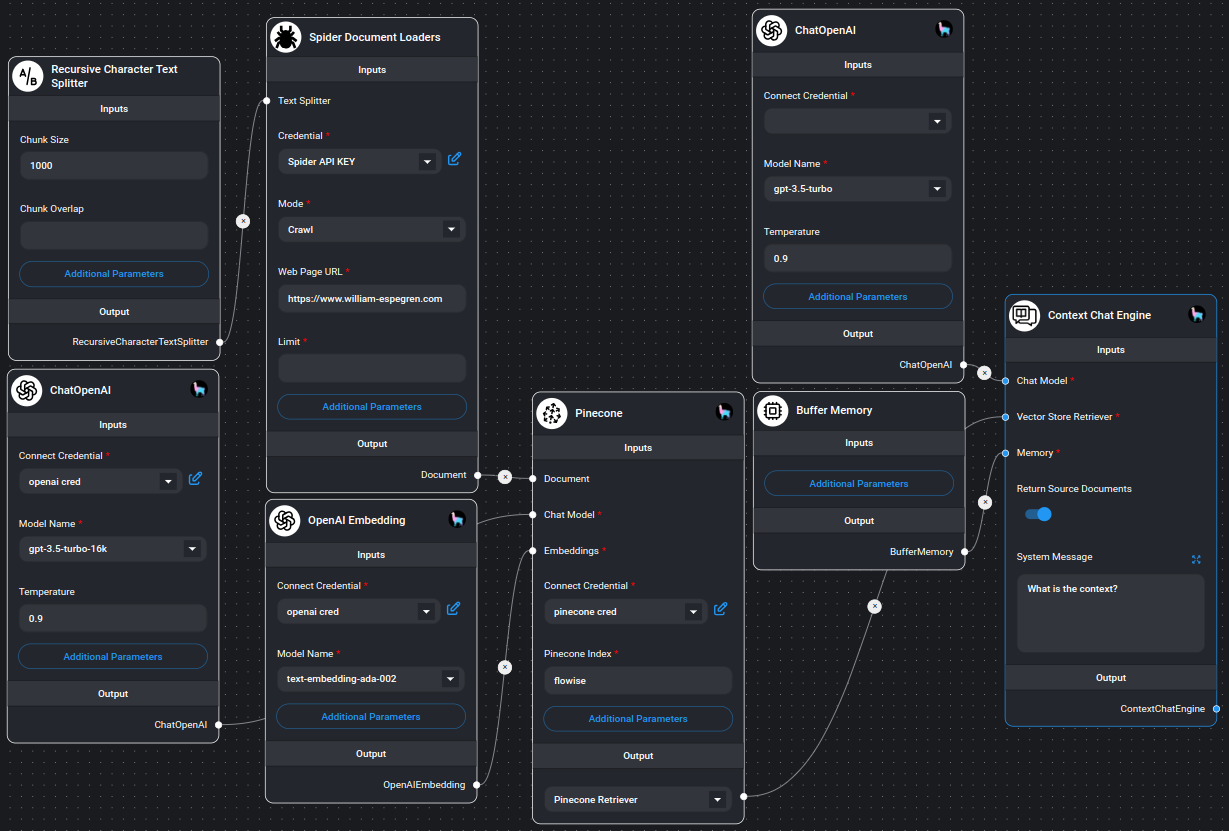
Example on using Spider node
## Notes
- The crawler respects the specified limit for crawl operations
- All content is returned in markdown format
- Error handling is built-in for both scraping and crawling operations
- Invalid JSON configurations are handled gracefully
- Memory-efficient processing of large websites
- Supports both single-page and multi-page extraction
- Automatic metadata handling and filtering